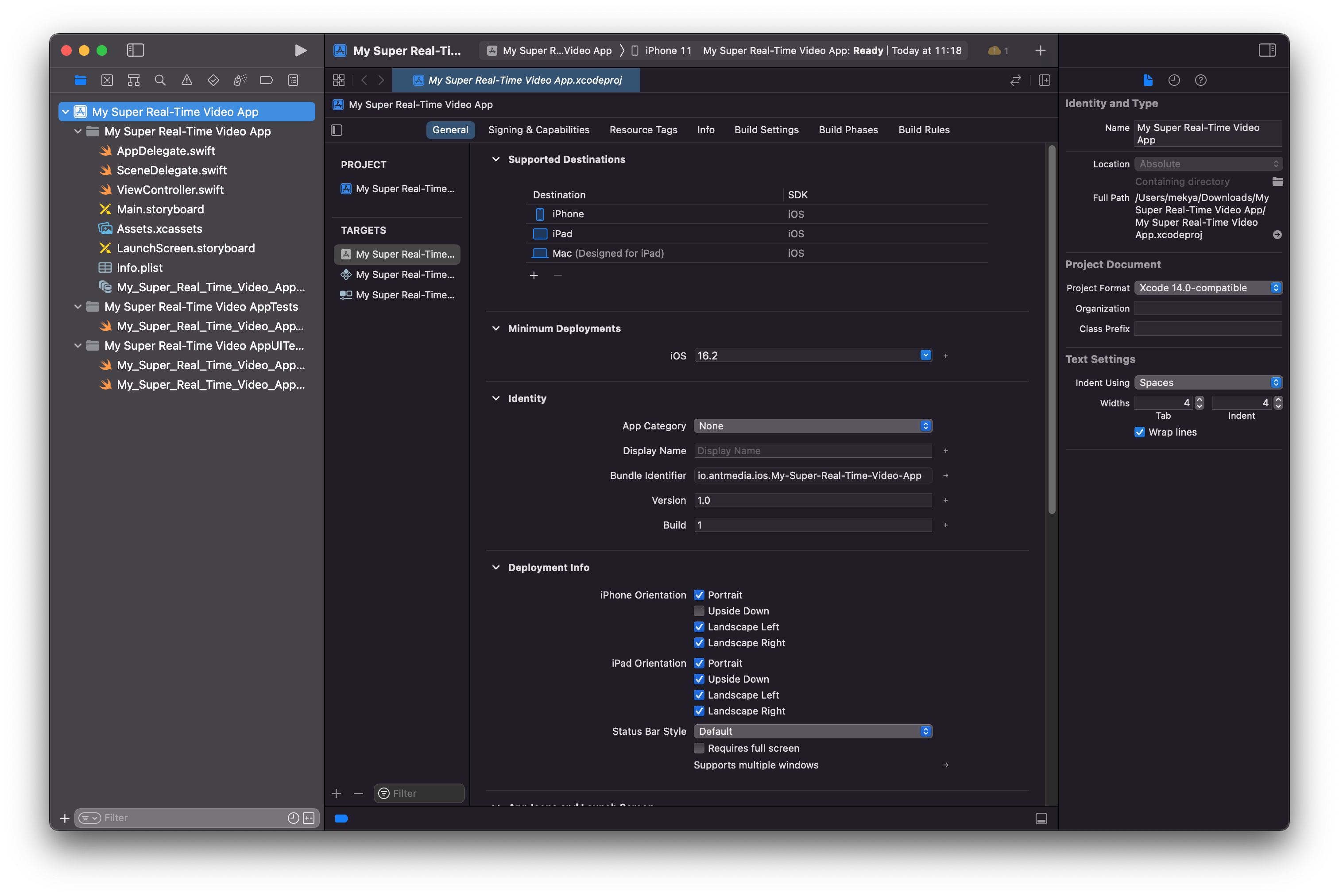
Creating iOS App Project in Xcode
Step 1: Create an iOS App Project in Xcode
To start building your WebRTC iOS application, we first need to create a new Xcode project.
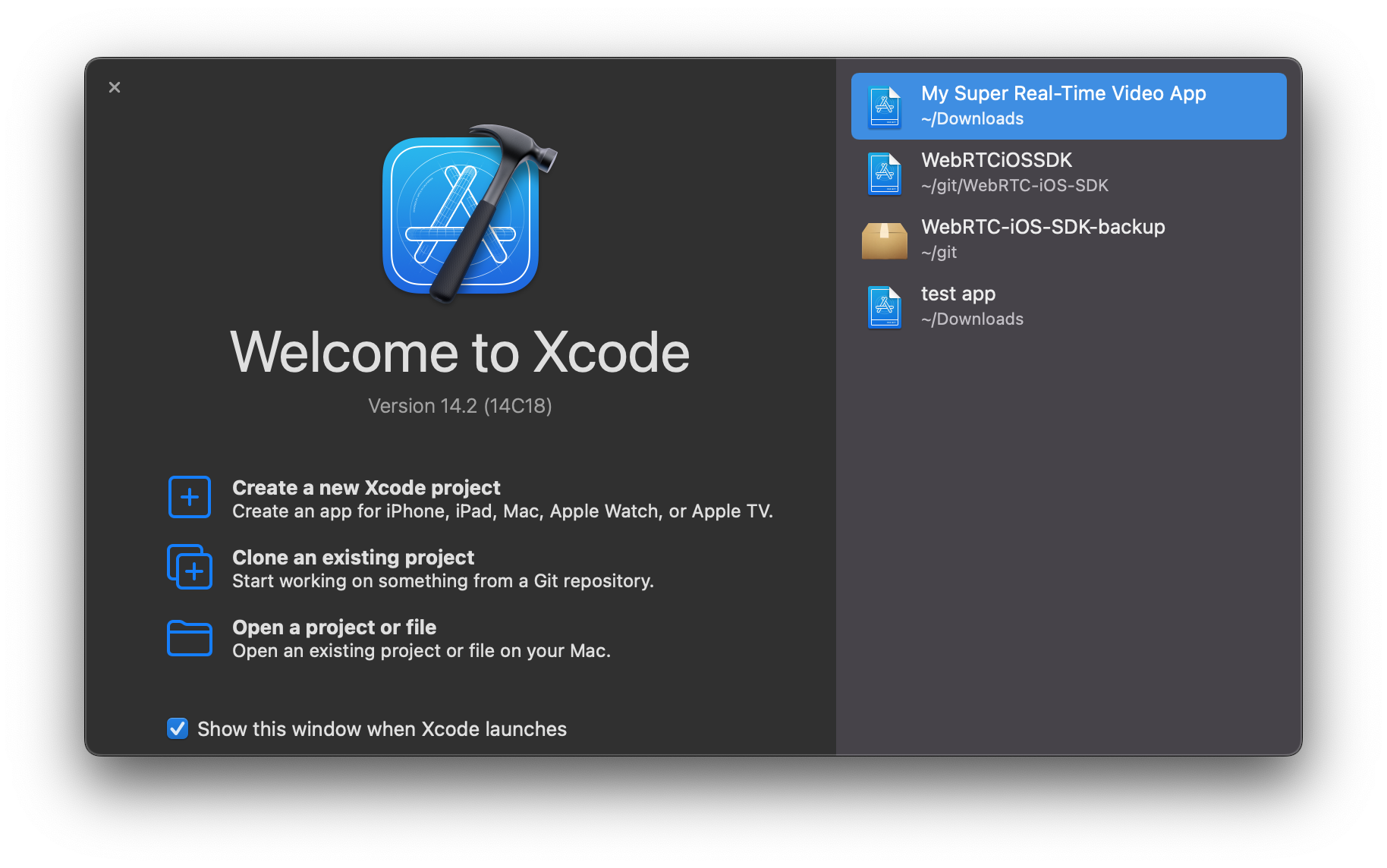
- Open Xcode
- Launch Xcode on your Mac and select “Create a New Xcode Project.”
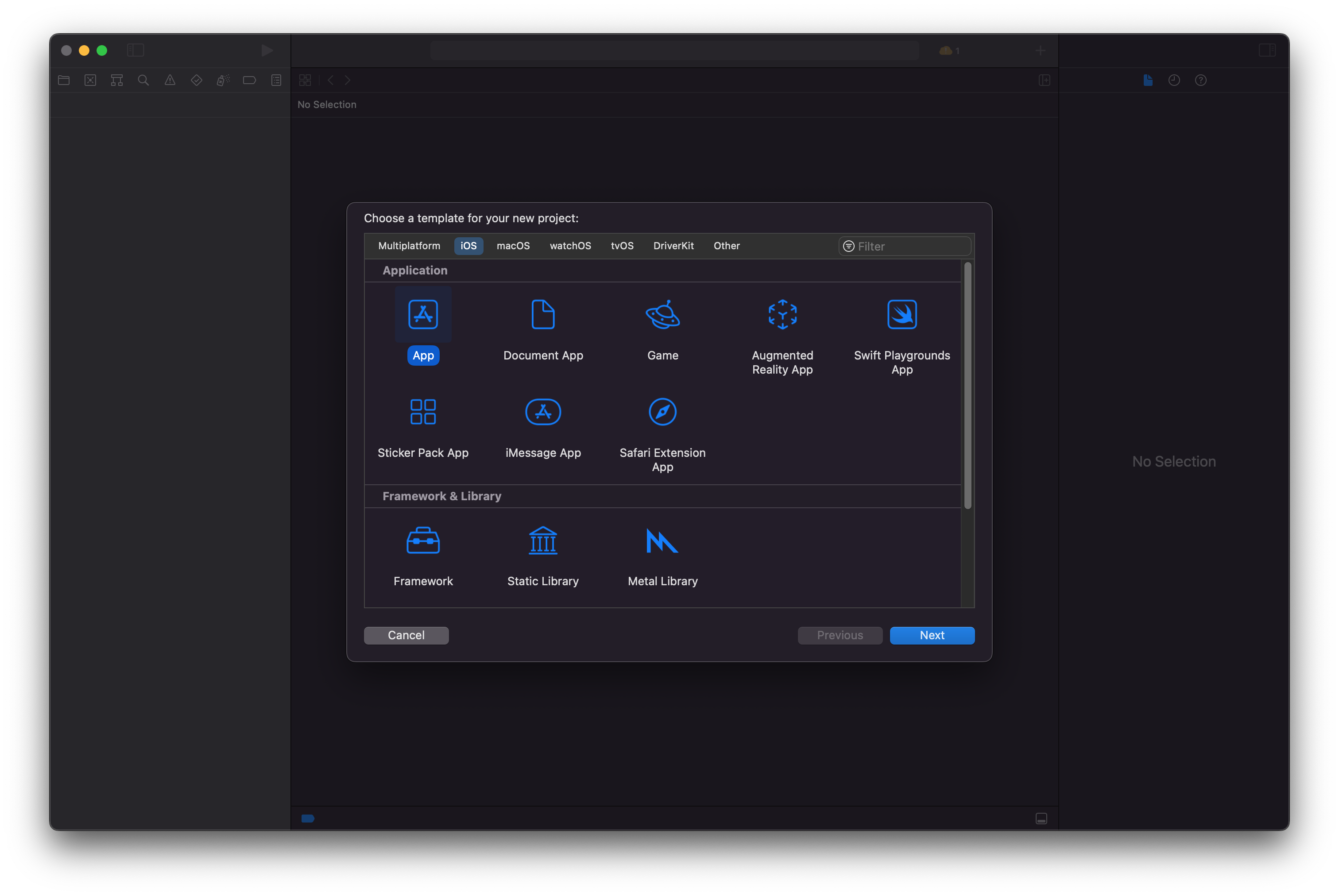
- Choose the App Template
- From the available templates, select "App" and click "Next."
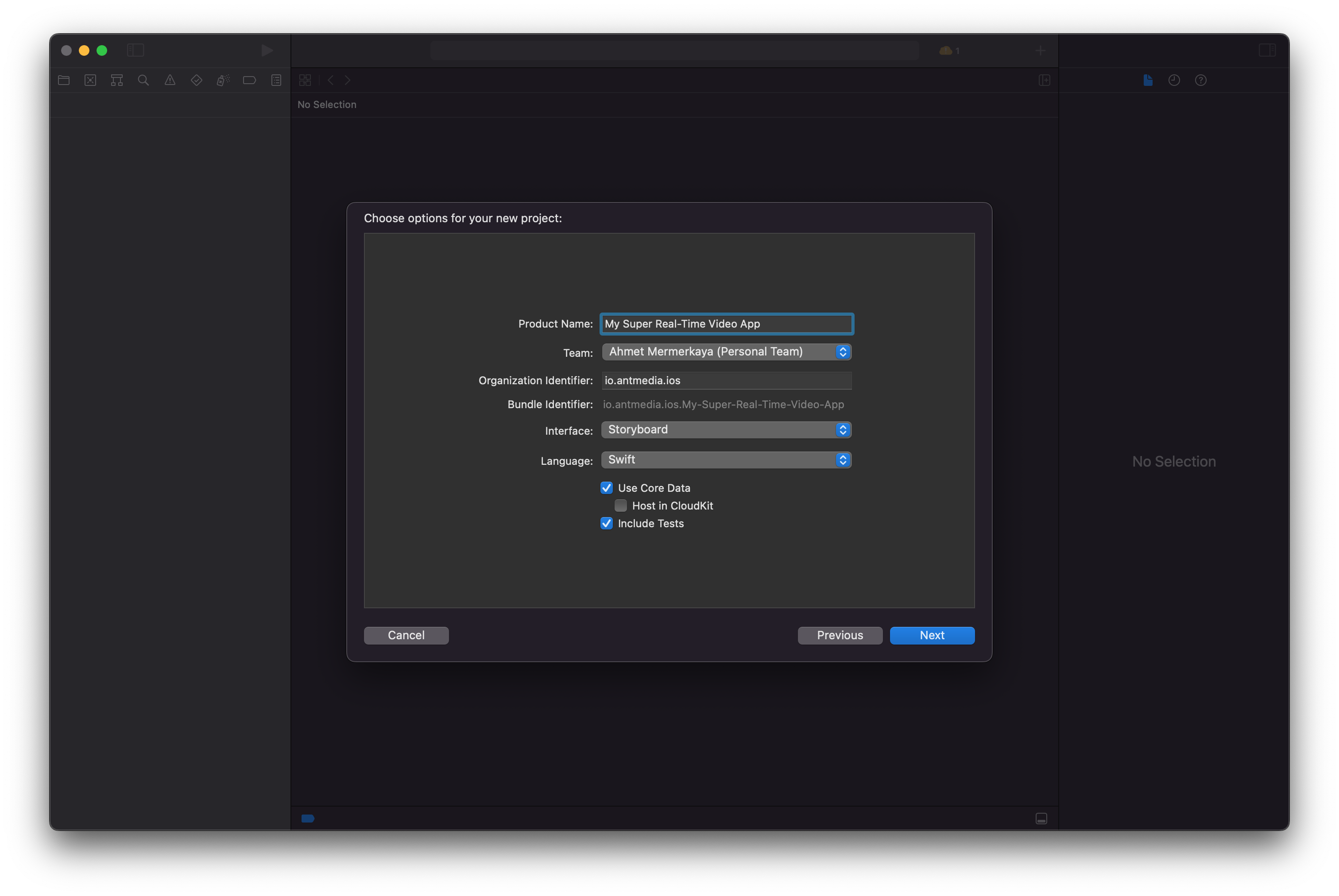
- Name Your Application
- Provide a name for your application and click "Next."
- Finalize the Project Creation
- Congratulations! You have successfully created your WebRTC iOS application project.