Android Dependency
In this step, we will add the WebRTC Android SDK dependency to your Android project. There are two ways to integrate the Android SDK: via the Maven repository or as a local module.
-
Maven Repository (Easy Method): Quick and easy, but you cannot modify SDK files.
-
Local Module (Advanced Method): Allows editing of SDK files, useful if you need custom modifications.
Add WebRTC-Android-SDK From Maven Repo (Easy)
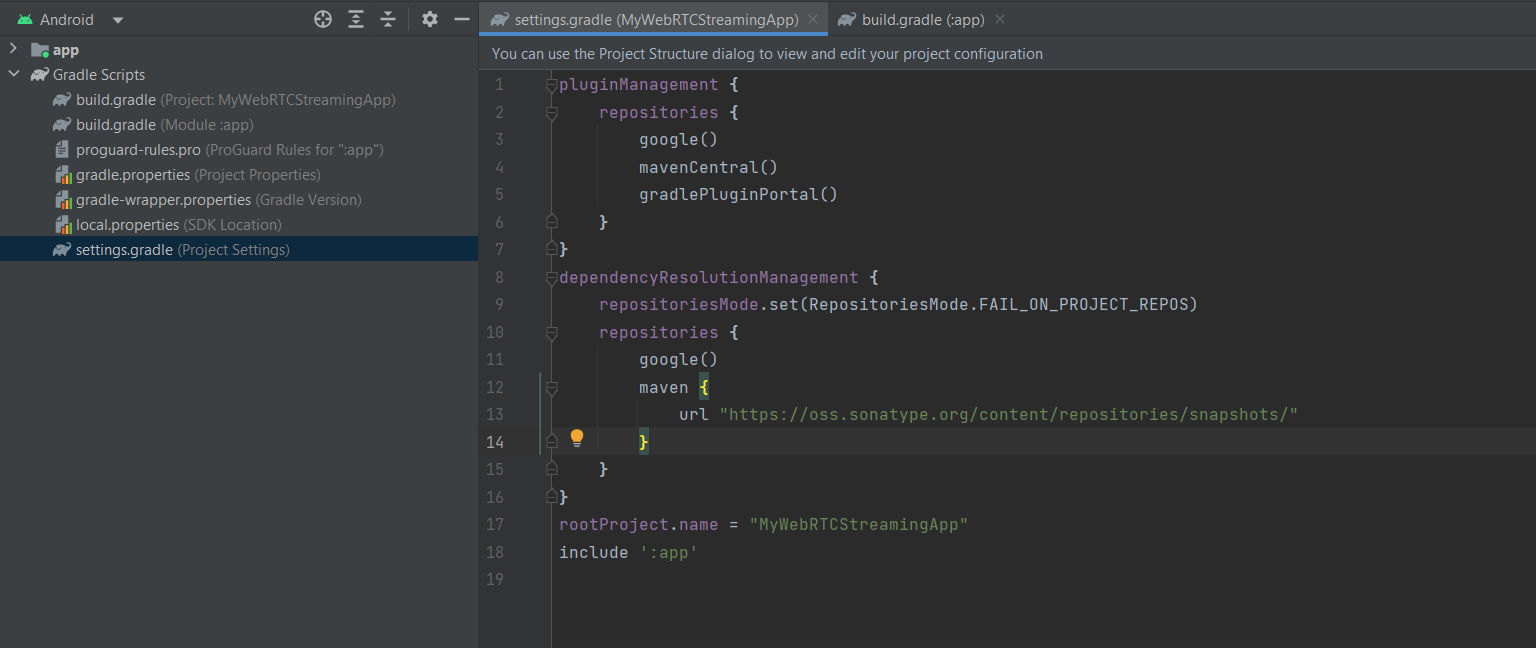
- Add the Sonatype Maven repository to your project. Open your
settings.gradlefile and add the following lines inside thedependencyResolutionManagement/repositoriessection:
  maven {
    url "https://oss.sonatype.org/content/repositories/snapshots/" }
- Add the dependency in your app module’s
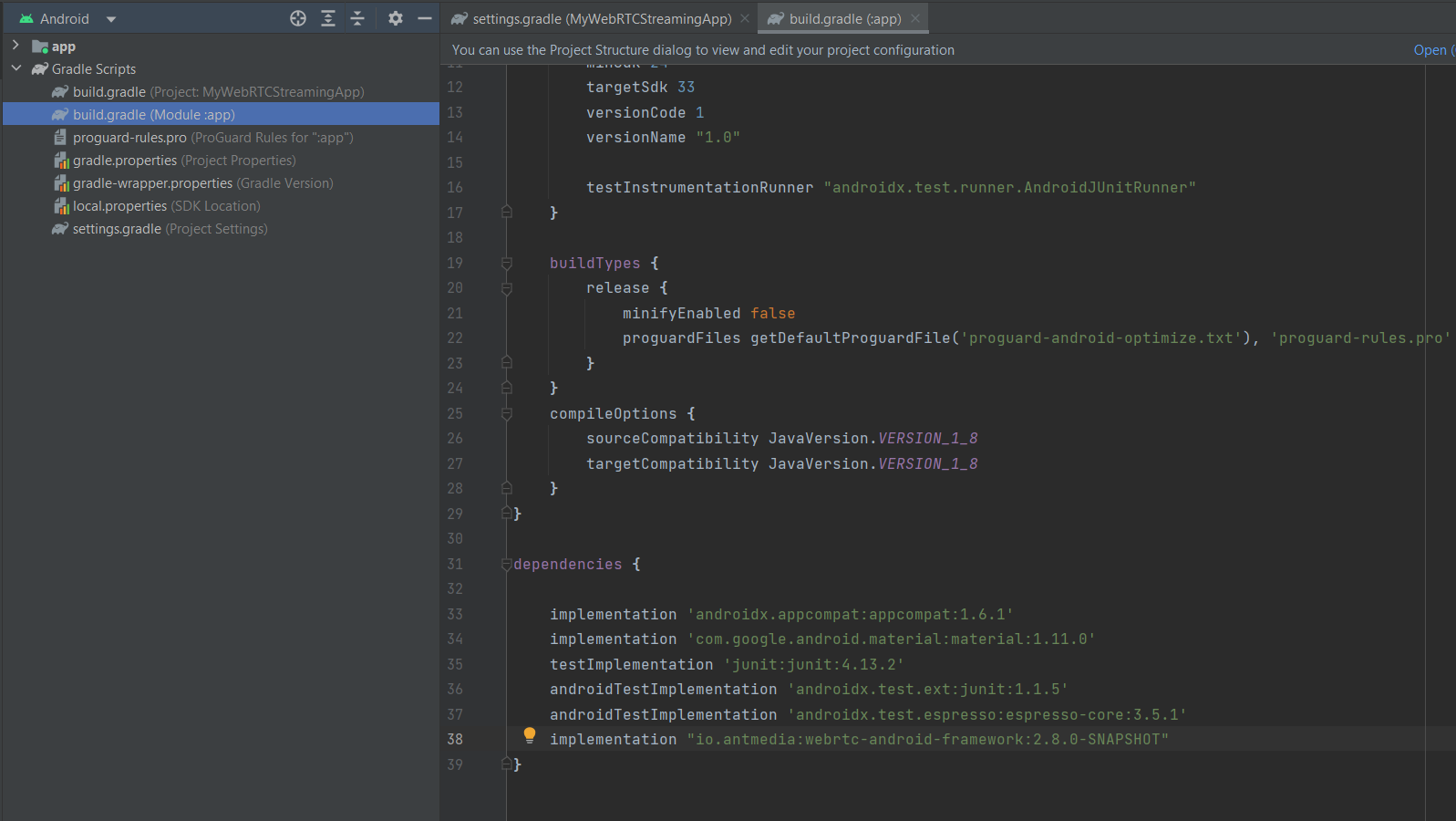
build.gradlefile underdependencies:
implementation "io.antmedia:webrtc-android-framework:{version}"
- Replace
{version}with the latest Android SDK version released on Maven. You can find all versions here.
For Example:
implementation "io.antmedia:webrtc-android-framework:2.11.0"
You are now ready to create your WebRTC streaming application using the pre-built SDK.
Add WebRTC-Android-SDK As a Module (Advanced)
- Clone the SDK repository locally:
git clone https://github.com/ant-media/WebRTC-Android-SDK.git
- Open your Android project in Android Studio. Navigate to
File > New > Import Moduleand selectwebrtc-android-frameworkfrom the cloned repository.

- After importing, you may see two errors:
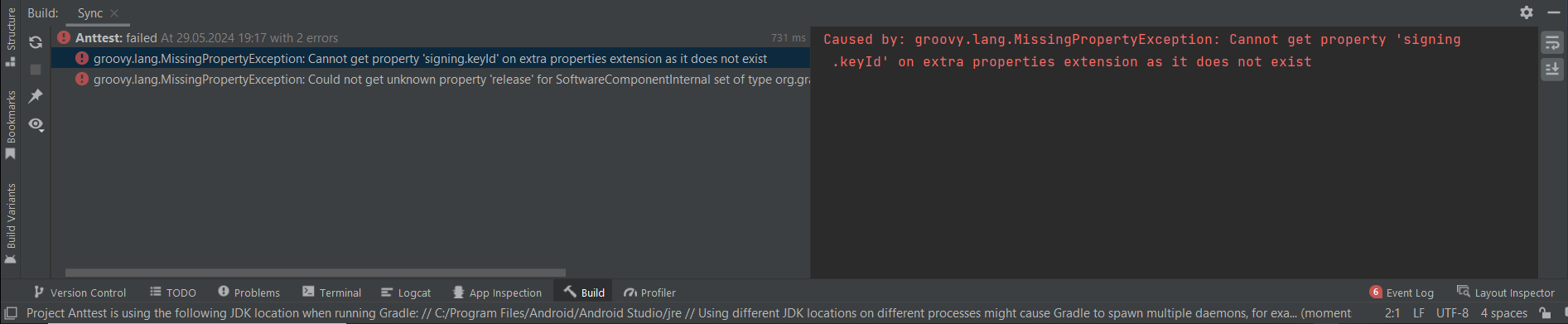
- Fix the errors:
-
Delete
publish-remote.gradlefrom thewebrtc-android-frameworkmodule. -
Open the
build.gradlefile ofwebrtc-android-frameworkand remove this line:
apply from: 'publish-remote.gradle'
- Add the module dependency to your app’s
build.gradlefile:
api project(":webrtc-android-framework")
- Sync Gradle. Your project is now ready to use the WebRTC Android SDK module. You can make edits to SDK files if needed, and the changes will apply to your project.
You can now navigate to your application module and begin developing your streaming application. If needed, you can edit any of the Android SDK files within the webrtc-android-framework, and your changes will be applied.
Congratulations
You have successfully added the WebRTC Android SDK to your project.
If you used Maven, you are ready to call SDK methods and start streaming right away.
If you used the module import method, you also have full control over the SDK source code, allowing customizations.
You can now move forward to implementing streaming features in your Android app and enjoy live WebRTC broadcasting with Ant Media Server.