WebRTC Peer to Peer Communication
In this documentation, we're going to explain how to implement WebRTC peer-to-peer communication with JavaScript SDK.
Navigate to P2P Sample Page
There is already a working demo for this in the peer.html file.
Go to https://your-domain-name:5443/live/peer.html for a sample page.
If you have Ant Media Server installed on your local machine, you can also go to http://localhost:5080/live/peer.html
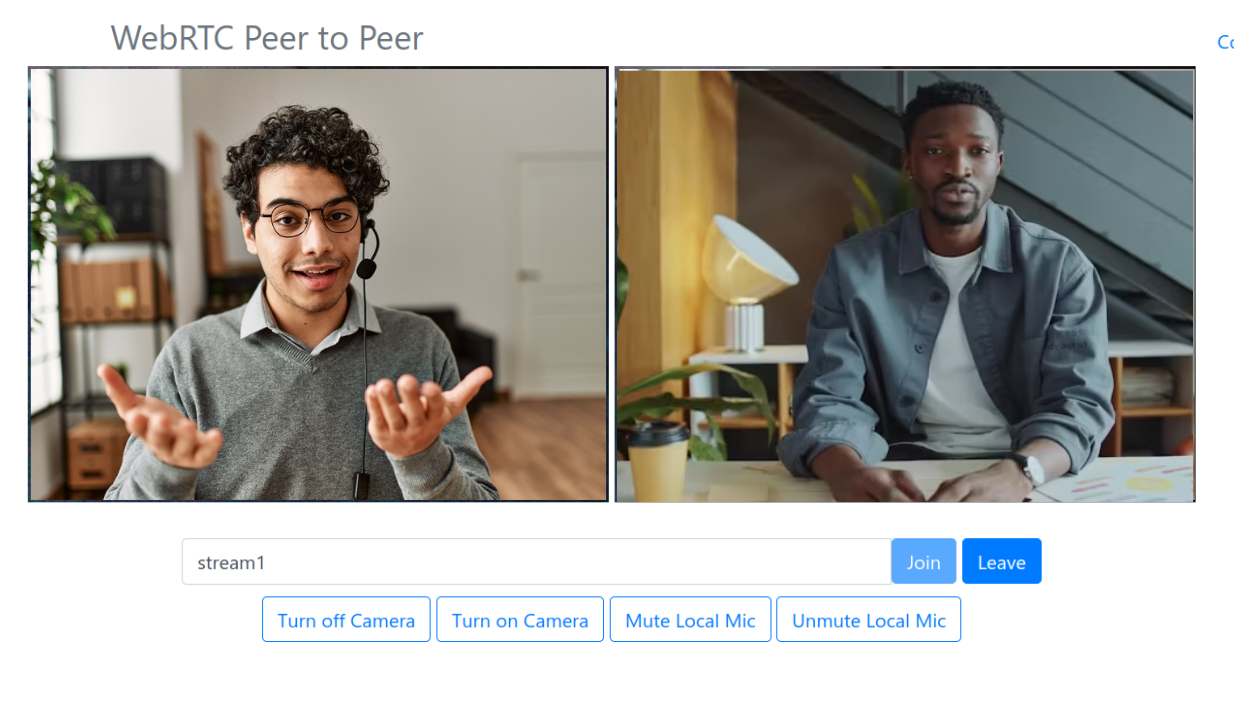
- Input the streamId and click the join button.
- Now open the same page in a new browser tab or any other machine and click join. Congratulations! You're now using WebRTC to connect in P2P mode from your browser!
Join P2P Communication
When WebRTCAdaptor is successfully initialized, it establishes a web socket connection. Following a successful connection, the client receives an initialized notification from the server. After receiving initialized notification, call thejoin method.
webRTCAdaptor.join(streamId);
If the join method returns successful, the server responds with a joined notification. As a result, the callback method is called with joined notification.
Leave P2P Communication
When you want to leave a peer-to-peer connection, just call the leave method.
webRTCAdaptor.leave(streamId);
Auxiliary Methods
The JavaScript SDK provides several auxiliary methods to provide enough flexibility in your application.
-
turnOffLocalCamera: Turn off the local camera in WebRTC peer to peer communication.webRTCAdaptor.turnOffLocalCamera(streamId); -
turnOnLocalCamera: Turn on the local camera in WebRTC peer-to-peer communication.webRTCAdaptor.turnOnLocalCamera(streamId); -
muteLocalMic: Mutes the local microphone in WebRTC peer-to-peer communication.webRTCAdaptor.muteLocalMic(); -
unmuteLocalMic: Unmute the local microphone in WebRTC peer-to-peer communication.webRTCAdaptor.unmuteLocalMic();
TURN Server
In some cases, peer-to-peer communication cannot be established and a relay server is required for video/audio transmission. For this requirement, TURN servers are needed to relay the video/audio.
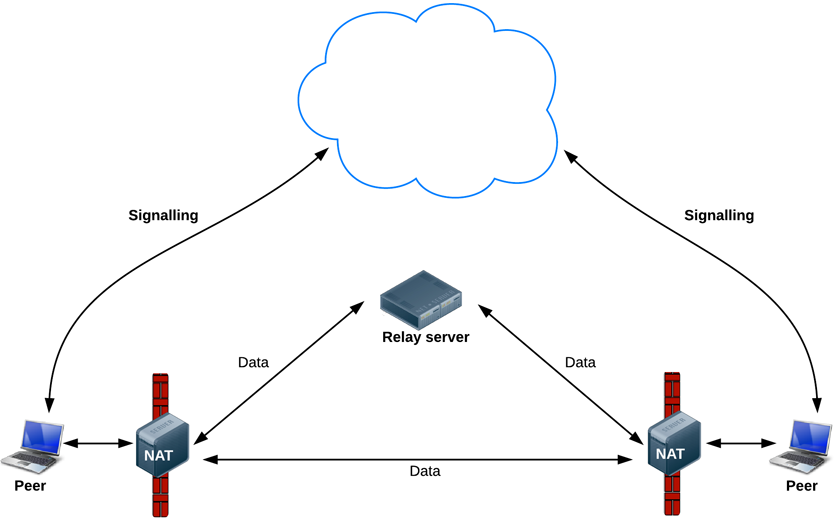
Check out this TURN server document for the configuration.
You can configure TURN server credentials in peer.html as follows.
var pc_config =
{
  'iceServers' :
      [ {
        'urls' : 'turnServerURL',
        'username' : 'turnServerUsername',
        'credential' : 'turnServerCredential'
      } ]
};
P2P Success ✅
You’ve now used Ant Media’s WebRTC Peer-to-Peer mode: connected via the sample page, joined with WebRTCAdaptor, exchanged streams directly between peers, and (if needed) configured TURN server fallback.
Your connection is now lean, fast, and minimizes lag — pure peer-to-peer streaming magic! 🎯