WebRTC Publishing
WebRTC (Web Real-Time Communication) offers ultra-low latency streaming, making it ideal for applications requiring real-time interaction, such as live events, online gaming, and virtual meetings. Unlike traditional protocols like RTMP or HLS, WebRTC enables direct peer-to-peer communication, reducing delays to approximately 0.5 seconds. This makes it a superior choice for scenarios where immediacy is crucial.
For WebRTC publishing, please ensure that UDP ports
50000-60000 are open on your firewall or security groups.
For more information on changing the port range, see here.
WebRTC Publish Sample Page
Go to this URL for WebRTC publishing: https://your domain name:5443/live
If you have Ant Media Server installed on your local machine, you can also go to http://localhost:5080/live to publish the WebRTC stream.
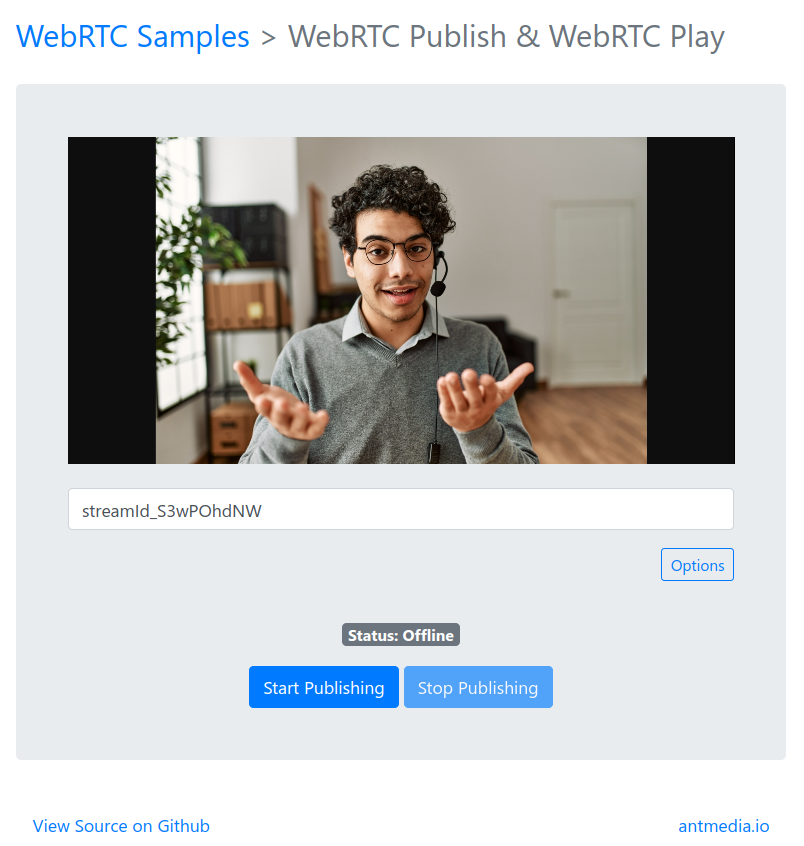
Stream Publishing
-
The random streamId is generated by default every time a page is opened, however you can enter your own streamId as well.
-
Then click the
Start Publishingbutton. After pressing the button, the textPublishingshould blink.
Congratulations! You're now using WebRTC to publish to Ant Media Server from your browser!
-
By clicking on Options on the sample page, you can also change the Max Video Bitrate and Audio/Video Source.

-
Learn more about playing this stream with WebRTC to complete the loop and stream with ~0.5-second latency. Check out here.
Tada 🚀
You've successfully set up WebRTC publishing with Ant Media Server. Your browser is now broadcasting live with sub-second latency. Whether you're streaming from your local machine or a remote server, you're ready to engage your audience in real-time.
Bonus: Your setup is browser-based—no plugins or external tools required. Just pure, seamless streaming magic! ✨