iOS Dependency
Step 2: Add WebRTC-iOS-SDK Dependency
To integrate WebRTC functionality into your iOS project, you need to add the WebRTC-iOS-SDK dependency.
- Add the Package
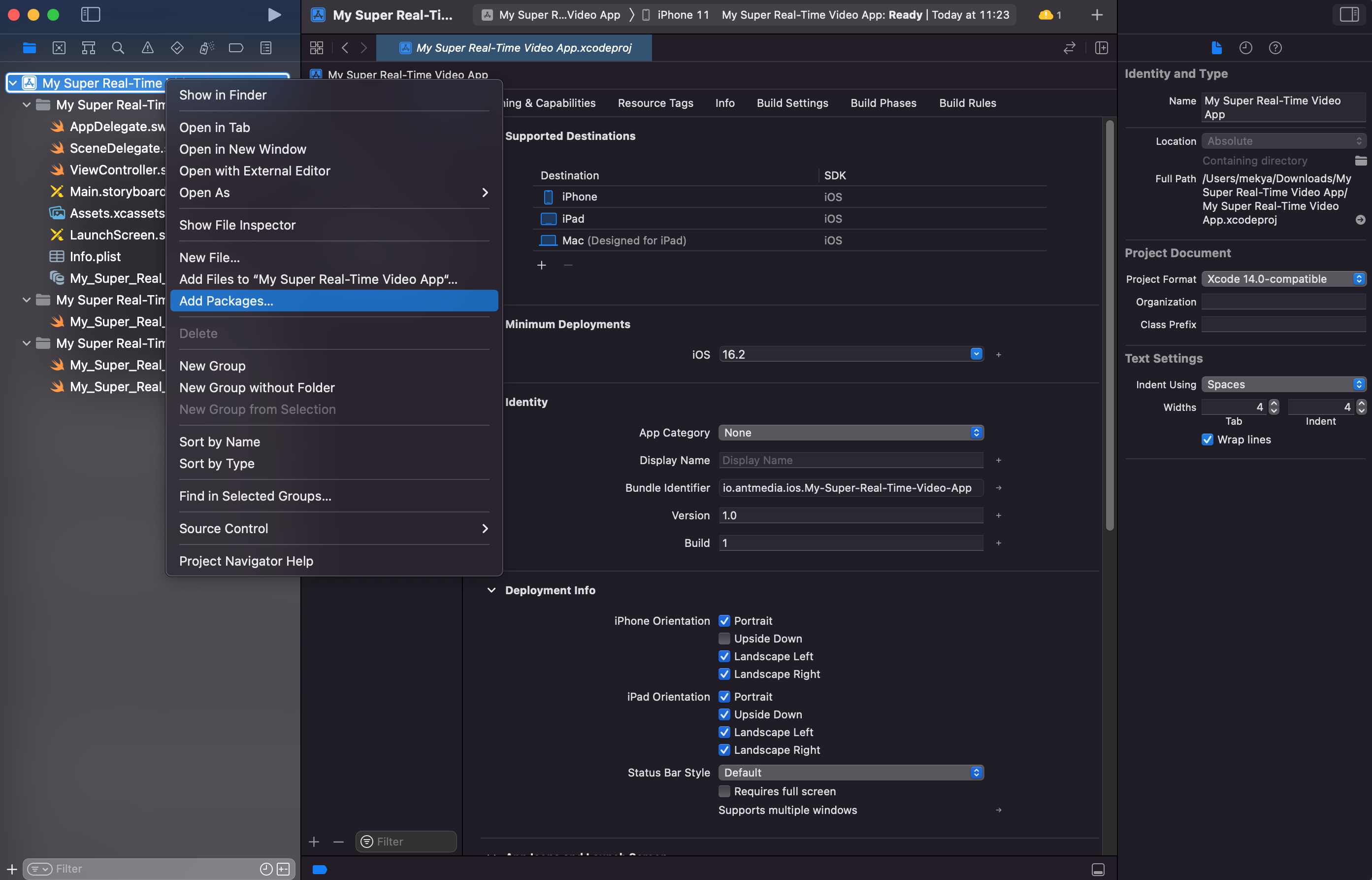
Right-click on your application in Xcode and select “Add Package” from the context menu.
- Enter Repository URL
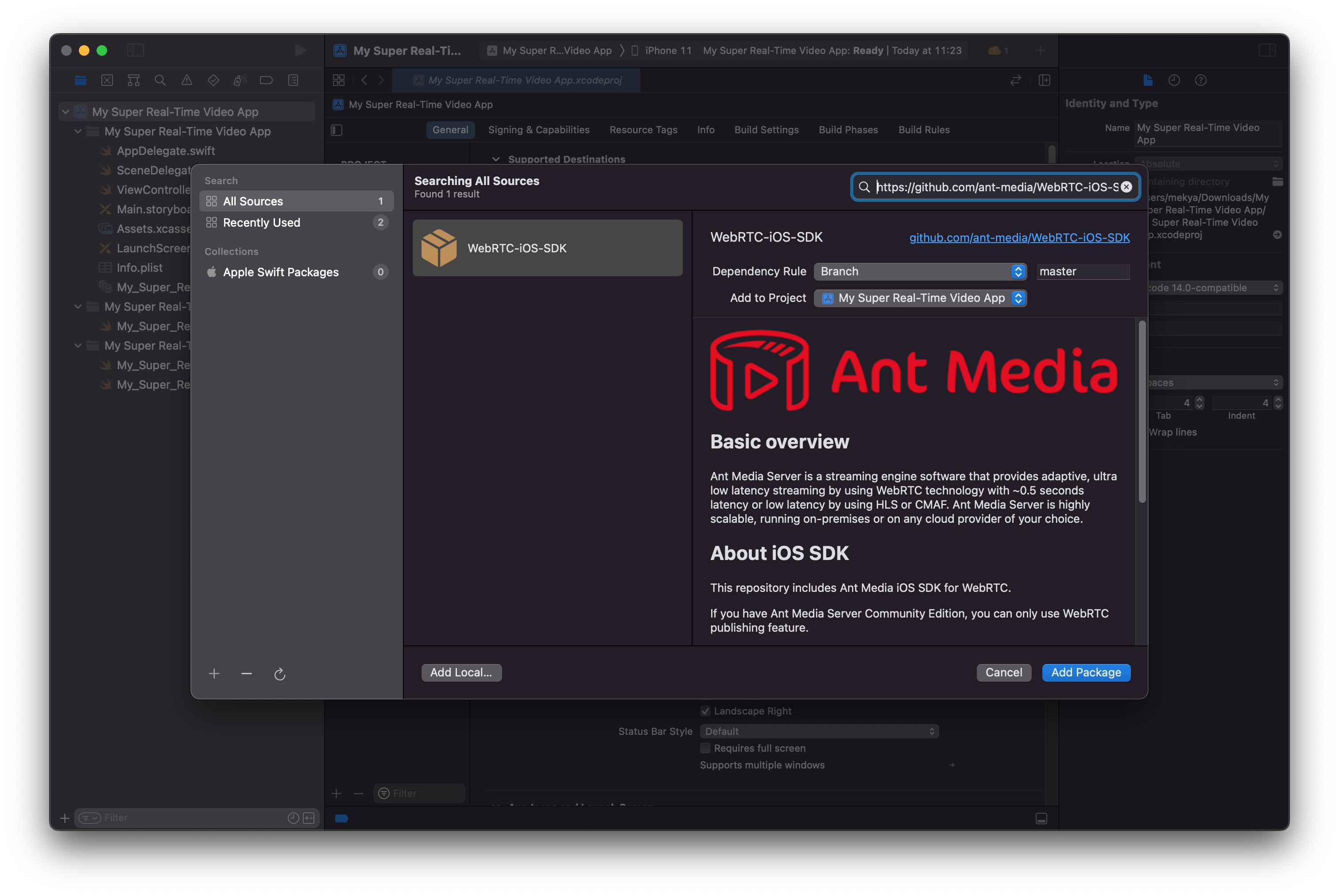
In the Package URL box, enter the following GitHub repository: https://github.com/ant-media/WebRTC-iOS-SDK
- Add the Package to Your Project
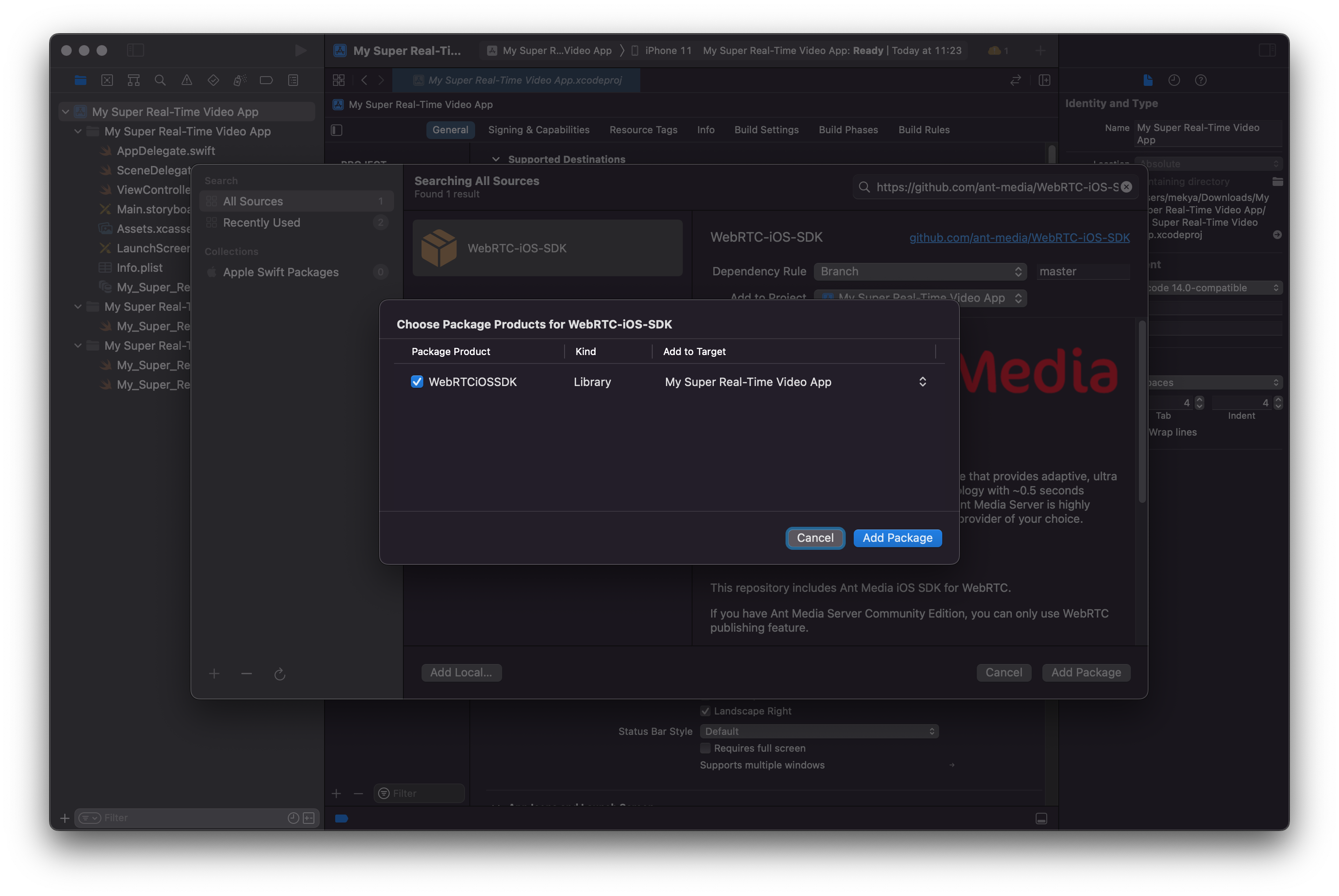
Click Add Package, then on the next screen, click Add Package again to confirm.
- Success
Congratulations!
You have successfully added the WebRTC-iOS-SDK dependency to your project.
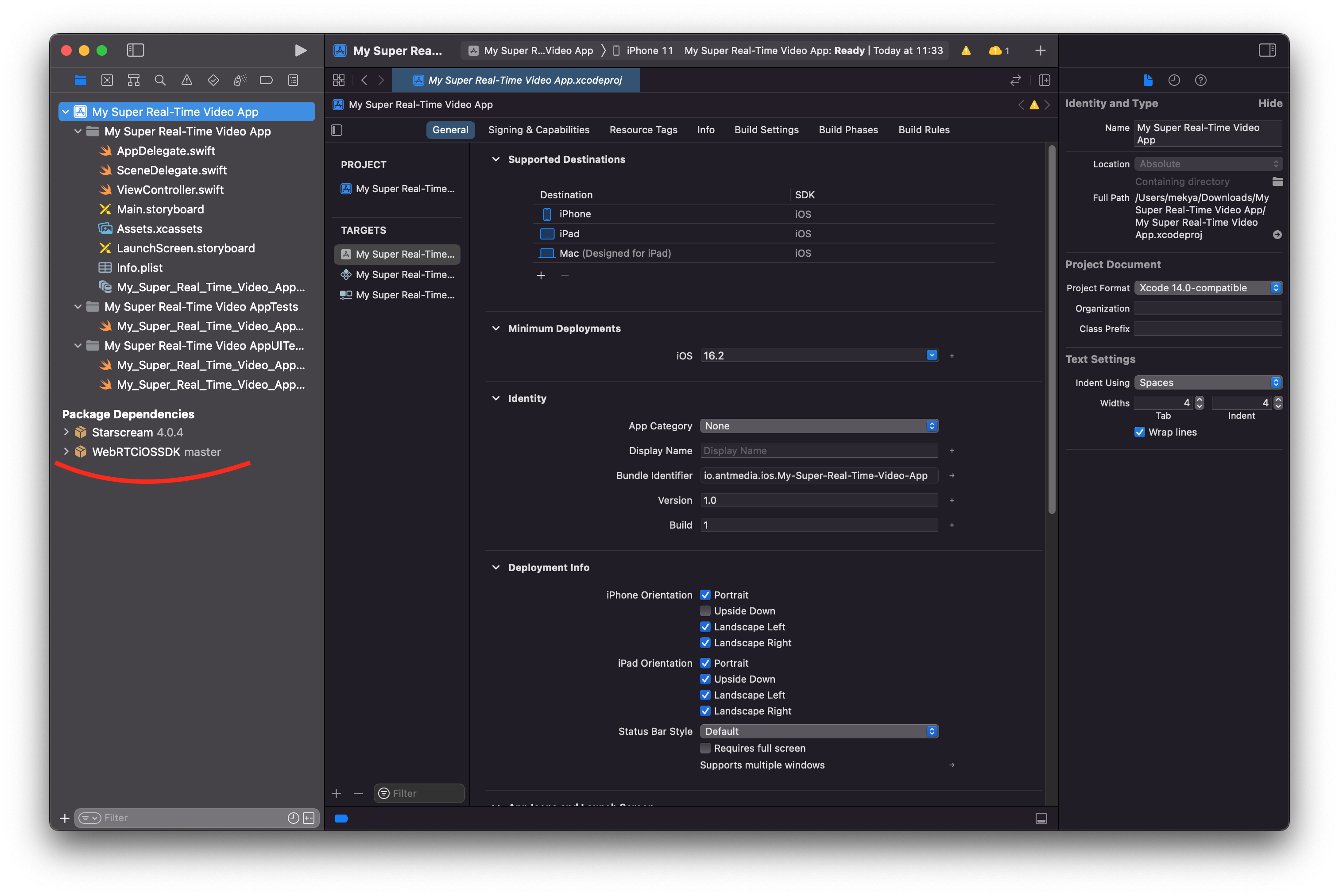
Now your project is ready to use the WebRTC-iOS-SDK.