H265 (HEVC) Codec
H.265 (HEVC—High Efficiency Video Coding) provides better video quality at lower bitrates compared to H.264, making it ideal for bandwidth-sensitive streaming scenarios.
Why Use H.265?
- Higher Compression Efficiency: Provides similar video quality at significantly lower bitrates compared to H.264
- Reduced Bandwidth Usage: Well suited for HD, Full HD, and 4K streaming scenarios
- Improved Video Quality: Delivers better visual quality at lower data rates
- Storage Optimization: Reduces storage requirements for recordings and archived content
Limitations
- Limited Browser Support: Most browsers do not support H.265 playback in WebRTC
- Licensing Restrictions: H.265 is not royalty-free and may require licensing fees
- Device Compatibility Requirements: Playback requires compatible hardware, operating systems, or media players
- WebRTC Compatibility Challenges: H.264 is typically required as a fallback codec for broader browser support
Enable H.265 Codec
H.265 is disabled by default. From AMS v3.0.1 onwards, it can be enabled from application settings via the web panel.
In v2.17 and below, it can be enabled via the application's Advanced Settings.
- Login to AMS Web Panel
- Go to Application settings (For example,
live) - Switch from Basic to Advanced settings
- Make it true: "h265Enabled": true,
- Save the settings
Other H.265 codec-related properties can also be changed from the Advanced Settings.
Streaming and Playback with H.265
Send H265 Stream
Some protocols support stream publishing with the H.265 codec like enhanced RTMP, SRT and RTSP.
- Use a tool like OBS to publish an RTMP stream with the H.265 codec. For example, refer to the Enhanced RTMP guide for configuration details: 👉 https://antmedia.io/docs/guides/publish-live-stream/rtmp/enhanced-rtmp/
Playback Support
- Android Devices: Native support via HLS, LL-HLS, and DASH
- Desktop Players: VLC and other third-party players support H.265 playback
- Browsers: Most browsers do not support H.265 playback in WebRTC
Compatibility Check
Check browser compatibility here:
👉 https://caniuse.com/?search=H.265
Play H.265 Transcoded Streams with H.264
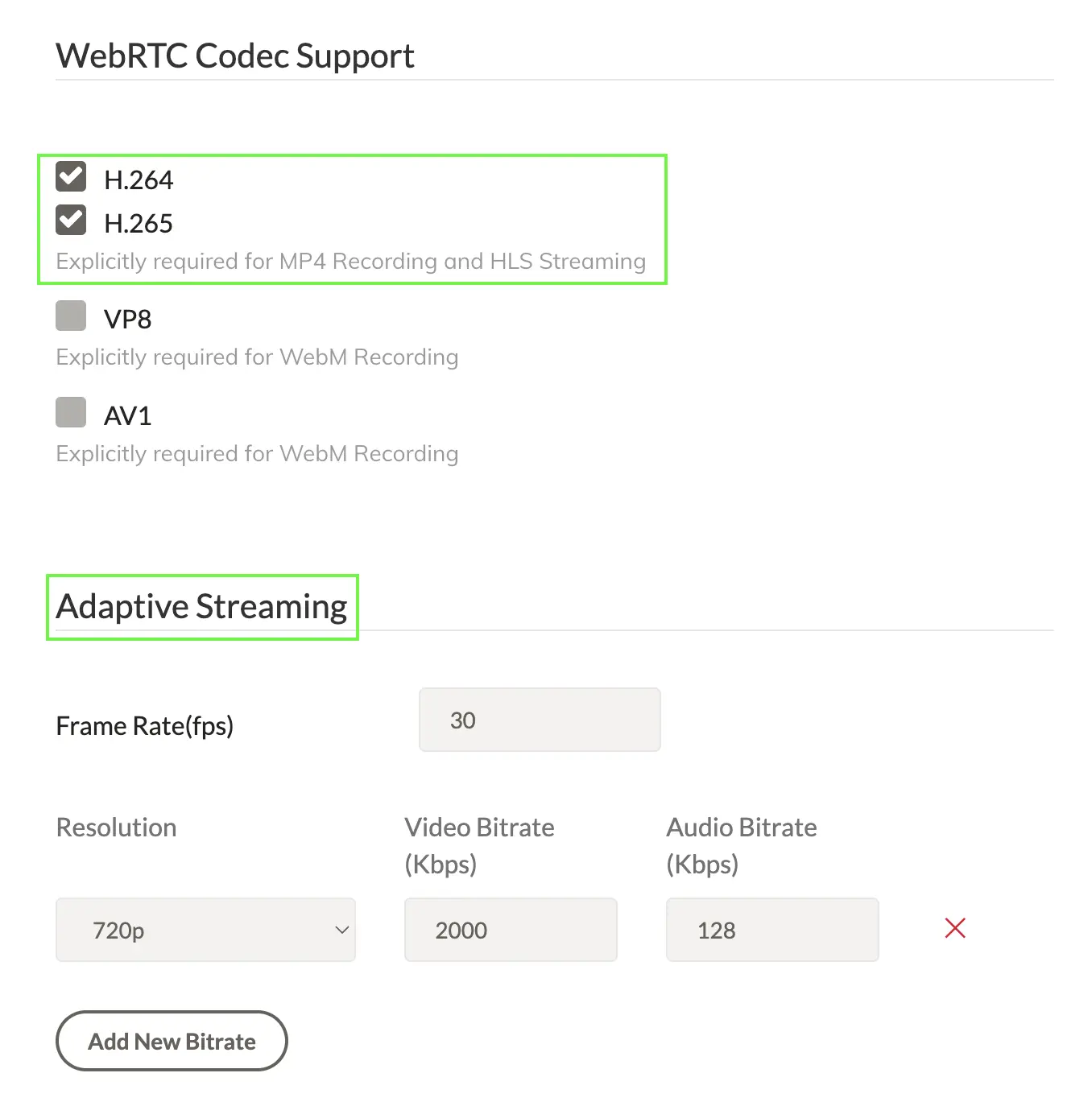
Since H.265 support is limited in browsers and WebRTC, enable H.264 alongside H.265 and use adaptive bitrate (ABR) streaming:
At least one adaptive bitrate (ABR) must be enabled. Without ABR, Ant Media Server will not transcode H265 streams into H264, and playback will fail on browsers that do not support H265.