Dash Playback with CMAF
What Is CMAF (Common Media Application Format)?
-
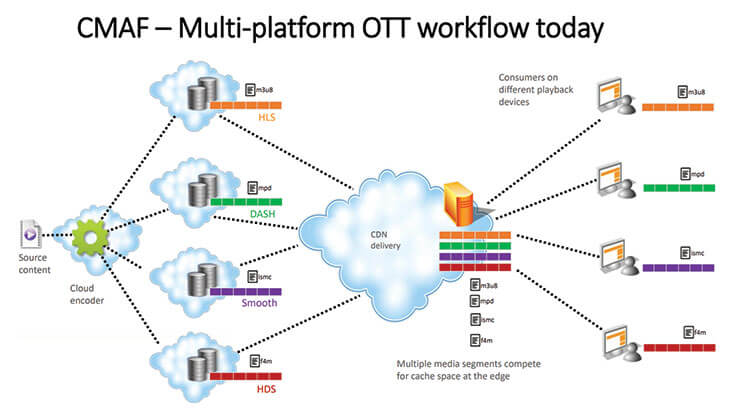
The Common Media Application Format (CMAF) is a standard designed to reduce HTTP delivery latency, typically to around 3-5 seconds. It aims to lower the cost, complexity, and latency of streaming. CMAF can be utilized with both DASH (Dynamic Adaptive Streaming over HTTP) and HLS (HTTP Live Streaming).
-
Ant Media Server fully supports LL-DASH (Low Latency DASH) through CMAF and LL-HLS (Low Latency HLS).
DASH Playback
Dash playback is turned off by default, so you must enable it before playing a stream over the Dash protocol.
Enable DASH & CMAF Streaming
Dash playback can be enabled from the application settings.
- Navigate to your application (live or any other).
- Go to
Settingsand underDash & CMAF StreamingcheckCreate DASH Streamingto enable it.
Play CMAF (DASH) with Embedded Player
You can use the embedded player play.html to play the streams with DASH.
-
Make sure that your stream is publishing on the server.
-
To play a stream with DASH, provide
streamIdas the id anddashas the playOrder parameter in the URL shown below.https://AMS-domain-name:5443/live/play.html?id=test&playOrder=dash -
The dash playback will start automatically when the stream is live.
Play MPEG-DASH stream directly via MPD
Assume Dash muxing is enabled and a stream is published to the Ant Media Server.
The default MPEG-DASH (.mpd) URL will be as follows:
https://AMS-domain-name:5443/live/streams/streamId/streamId.mpd
If you play the .mpd file directly, the stream latency will be native to MPEG-DASH, which is about 15 seconds.
More Details About Dash
There are a few more options for CMAF and their default values. You can assume that the following values are in use if they are not specified in the properties file:
-
Duration of segments in MPD files.
settings.dashSegDuration=6 -
Fragments are a property of fragmented MP4 files. Typically, a fragment consists of
moof + mdat.settings.dashFragmentDuration=0.5 -
Target latency
settings.dashTargetLatency=3.5 -
DASH window size. Number of files in the manifest
settings.dashWindowSize=5 -
DASH extra window size. Number of segments kept outside of the manifest before being removed from the disk.
settings.dashExtraWindowSize=5
If you're using Dash streaming with ABR enabled, make sure the following property is enabled in your application's advanced settings:.
"forceAspectRatioInTranscoding": true,
The value is false by default. Check here for more information on this property.