Record Streams To OVH Object Storage
OVH is a cost-effective cloud provider that many people prefer. If you installed Ant Media Server on an OVH cloud instance, you may wish to upload your stream recordings to S3 storage. You could accomplish that in a few steps. Let us get started!
Firstly, you need to generate a Secret Key and Access Key with your OpenStack username and password. You can learn more about it in OVH's documents.
After generating the Secret Key and Access Key, you just need to create an Object Storage as an image.
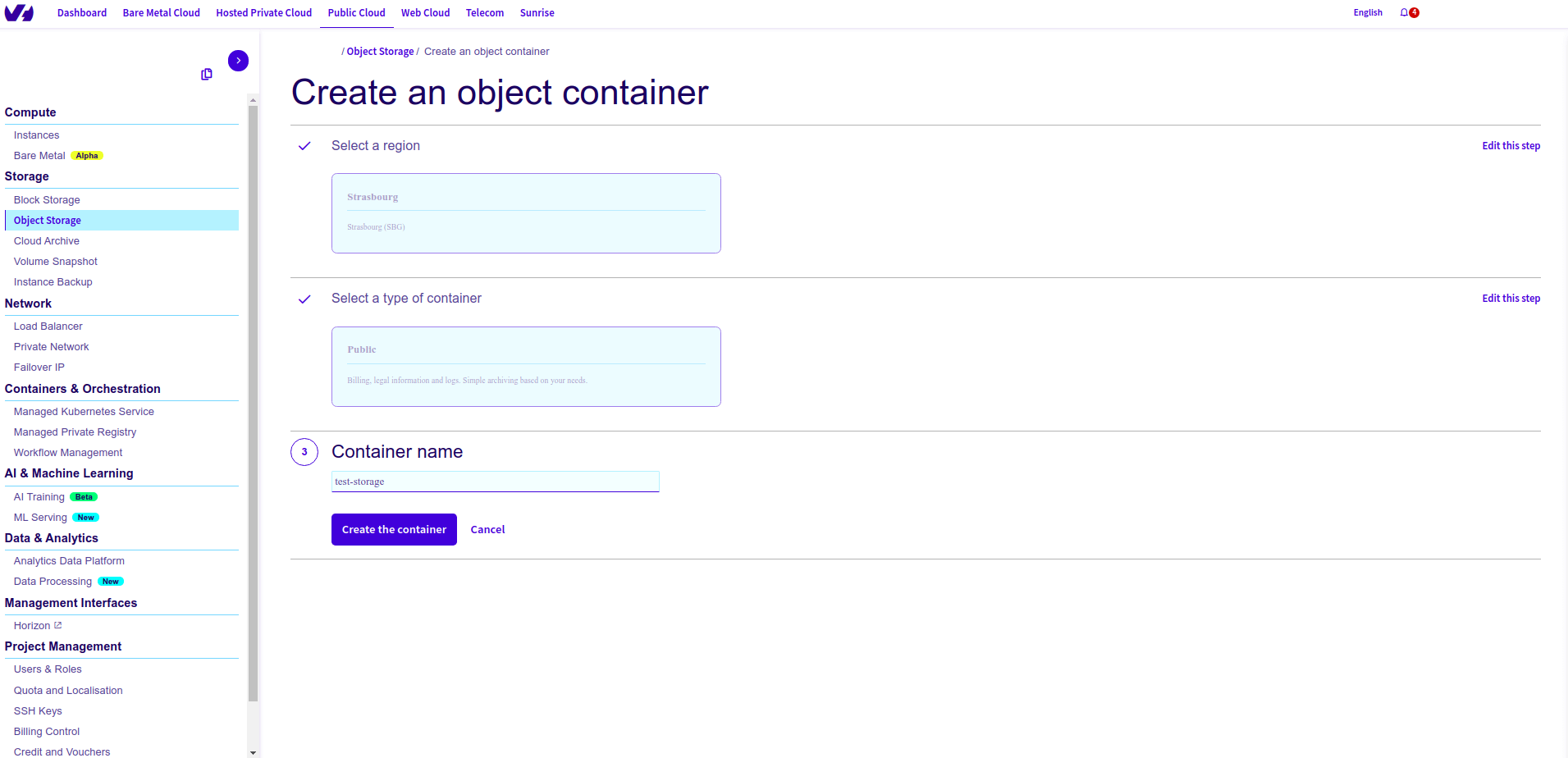
You will see the Dashboard below after clicking Create the Container.
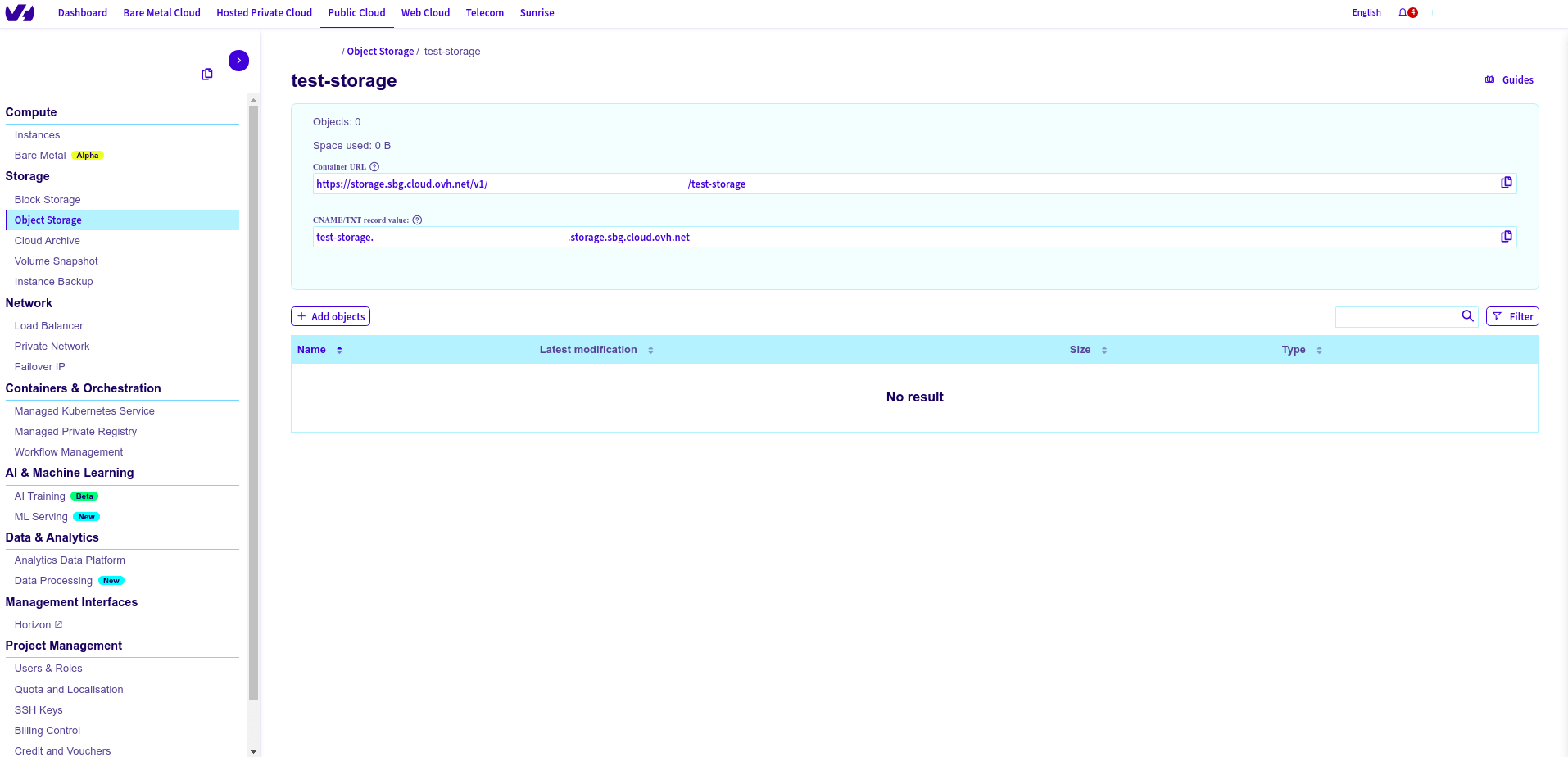
Here you see the sample S3 credentials. You need to set to yours:
Then, Log in to your Ant Media Server panel at http://your_ams_server:5080.
- Navigate to Applications > live > Settings.
- Enable Record Live Streams as MP4.
- Enable S3 Recording.
- Enter the following S3 credentials:
- Access Key:
your_access_key - Secret Key:
your_secret_key - Bucket Name:
your_bucket_name
- Access Key:
- Save the settings.
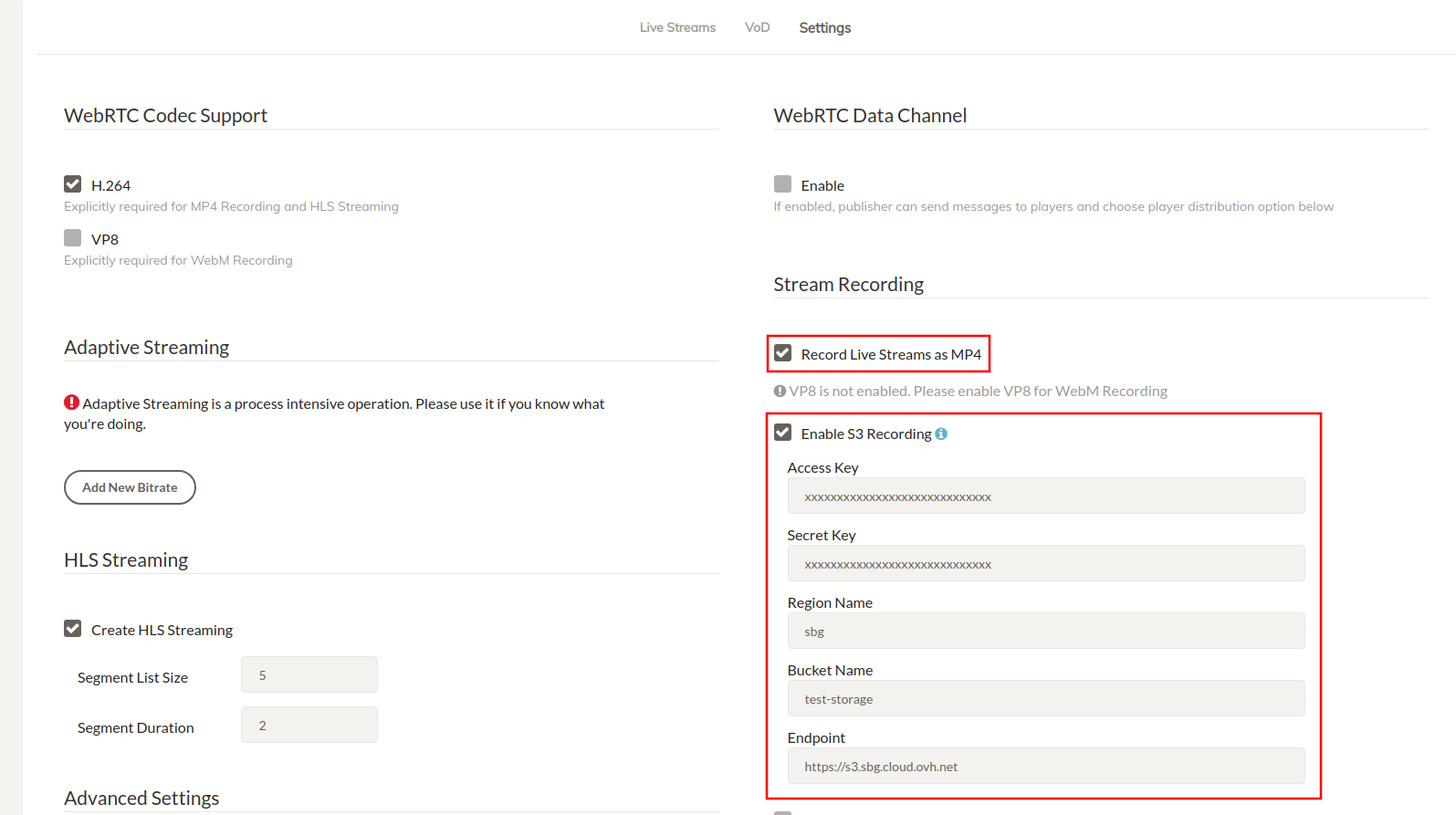
Your MP4 and Preview files will be uploaded to your OVH Object Storage automatically.
Enable HTTP Forwarding for Playback
When your stream (mp4, m3u8 or preview) files are uploaded to OVH Object Storage, they are no longer available on the Ant Media Server local storage. If you try to play them directly from AMS using the usual URL, you may encounter a 404 Not Found error.
To resolve this, enable HTTP Forwarding so Ant Media Server automatically redirects requests to your OVH Object Storage.
Steps to Enable HTTP Forwarding
-
Log in to the Ant Media Server Management Panel
-
Navigate to your application (e.g.,
live) and go to Application Settings → Advanced Settings. -
Set the following properties:
httpForwardingExtension: mp4,m3u8
httpForwardingBaseURL: https://{s3BucketName}.{region}.cloud.ovh.net
Example:
httpForwardingExtension: mp4,m3u8
httpForwardingBaseURL: https://mybucket.gra.cloud.ovh.net -
Save your settings
Playback
Once forwarding is set up, you can embed or share the playback URLs directly from AMS, and behind the scenes, the requests will be served from your OVH Object Storage.
https://your-domain:5443/live/streams/recording.mp4
Ant Media Server will forward the request to:
https://mybucket.gra.cloud.ovh.net/streams/recording.mp4
Streams Off to the Cloud! ☁️🚀
You’ve successfully configured Ant Media Server to record live streams directly to OVH Object Storage. Now, every MP4 you capture will be securely uploaded to the cloud, ready for playback anytime.
Excelente!! your streams are officially living the high life in the cloud! 🌤️📦