Adding Dependencies
Step 3: Add WebRTC-Android-SDK Dependency
There are two methods for integrating the Android SDK into your Android app project:
-
Via Maven Repository (Easy) – Quick and simple, but you won’t be able to modify the SDK files.
-
As a Module (Advanced) – Gives you the ability to edit the SDK source code if needed.
Add WebRTC-Android-SDK From Maven Repo (Easy)
-
Add the Maven repository to your
settings.gradlefile underdependencyResolutionManagement/repositoriessection:maven {
url "https://oss.sonatype.org/content/repositories/snapshots/" }
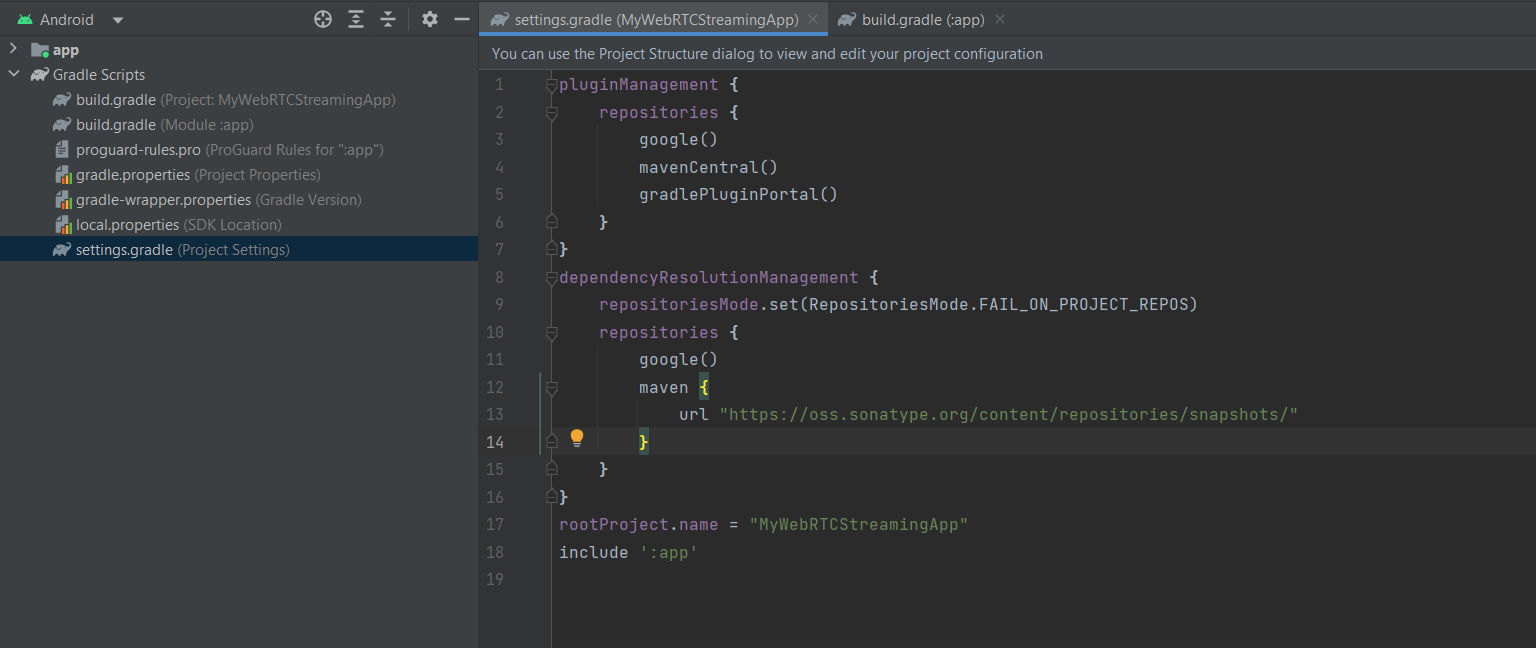
- After adding the repository, we will add the following lines to the dependencies session in the app
build.gradlefile.
implementation "io.antmedia:webrtc-android-framework:{version}"
-
Replace version with the latest android sdk version released on maven. You can see all released versions here.
For Example:
implementation "io.antmedia:webrtc-android-framework:2.11.0"
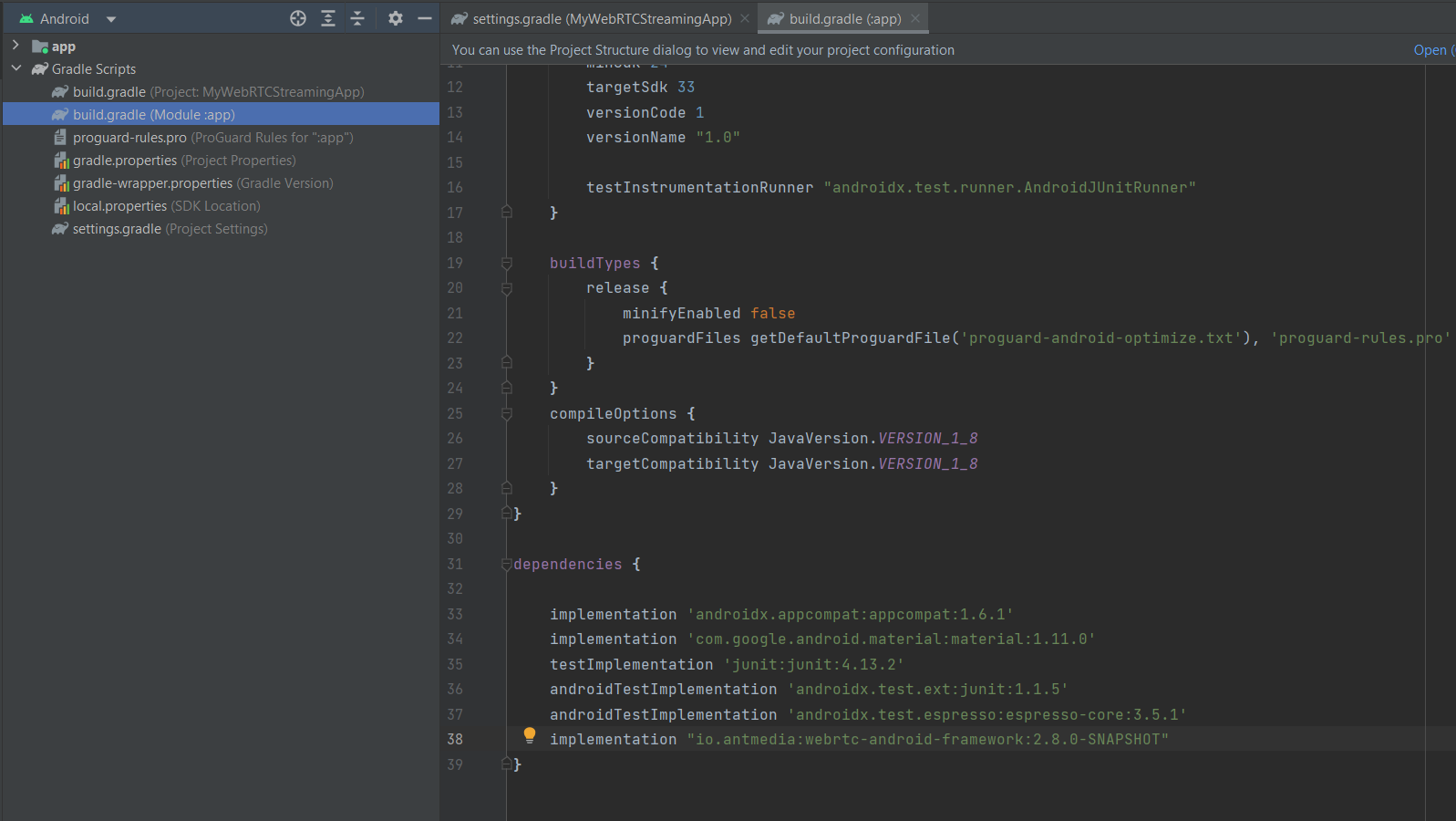
That is all. We have added the dependency and we are ready to create our WebRTC streaming application.
Add WebRTC-Android-SDK As a Module (Advanced)
-
Clone WebRTC-Android-SDK repository to your local.
git clone https://github.com/ant-media/WebRTC-Android-SDK.git -
Open your android project with Android Studio. From left top corner, click
File > New > Import Moduleto import. -
Open WebRTC-Android-SDK and choose
webrtc-android-frameworkfrom your file system.

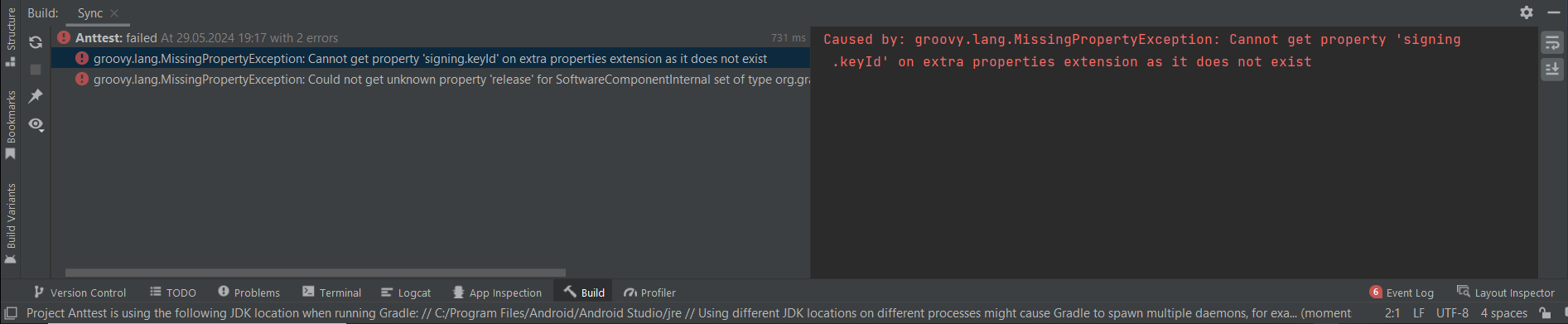
- After clicking Finish, you will face with 2 errors as below:
-
To fix those errors, remove
publish-remote.gradlefile fromwebrtc-android-framework module.After removing, go to
build.gradlefile ofwebrtc-android-frameworkmodule and remove below line.apply from: 'publish-remote.gradle'Then, go to your app project's
build.gradlefile and add below line to the dependencies.api project(":webrtc-android-framework") -
Finally, sync gradle and it should be all done.
You can now navigate to your application module and begin developing your streaming application. If needed, you can edit any of the Android SDK files within the webrtc-android-framework, and your changes will be applied.
Add Firebase Cloud Messaging Dependency:
-
Open your app-level build.gradle file.
-
Add the Firebase Cloud Messaging dependency:
implementation 'com.google.firebase:firebase-messaging:23.0.0'
Congratulations!
You’ve successfully added the WebRTC-Android-SDK dependency and configured Firebase Cloud Messaging in your project. With this setup, your application is now ready to handle real-time WebRTC streaming and push notifications seamlessly.