Record Streams To Google Cloud Storage
Google Cloud is another cloud provider that is preferred by many Ant Media Server users. You could integrate your Google Cloud cloud instance easily with S3 cloud storage. Let’s see how it can be done with a few steps!
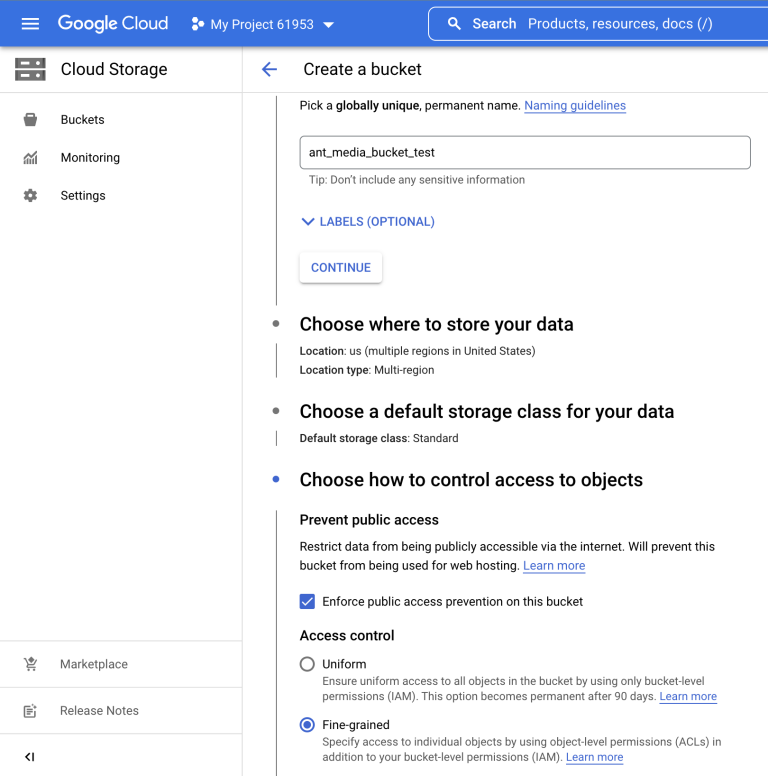
- Firstly, you need to create a Bucket. Just click the Create button and fill in the blanks. You should choose the access level to be
Fine-grained
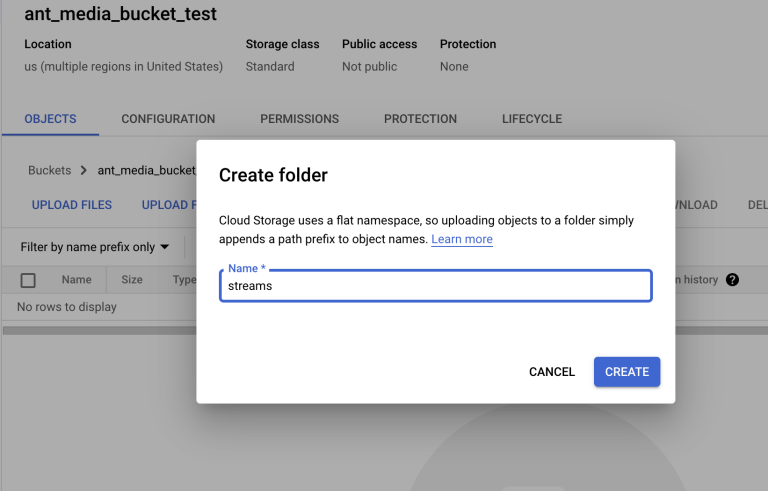
- Go to the bucket and create a folder named
streams
- Go to the
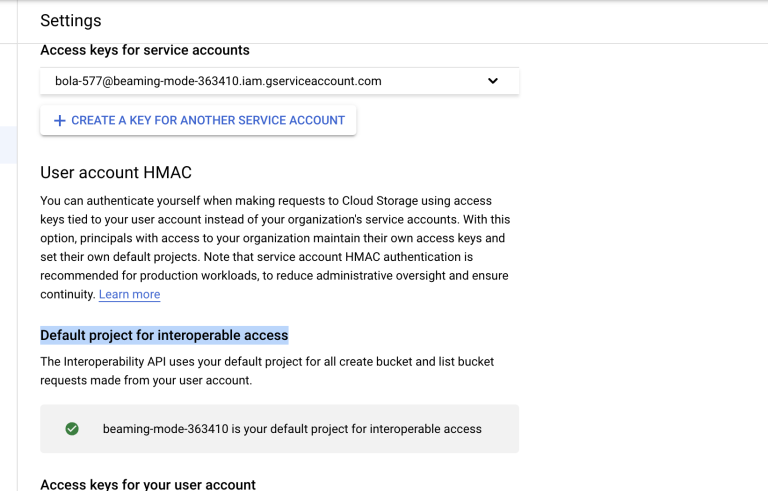
Settingson the left and selectInteroperabilitytab. On theUser Account HMACsection, choose the default project for interoperability access.
-
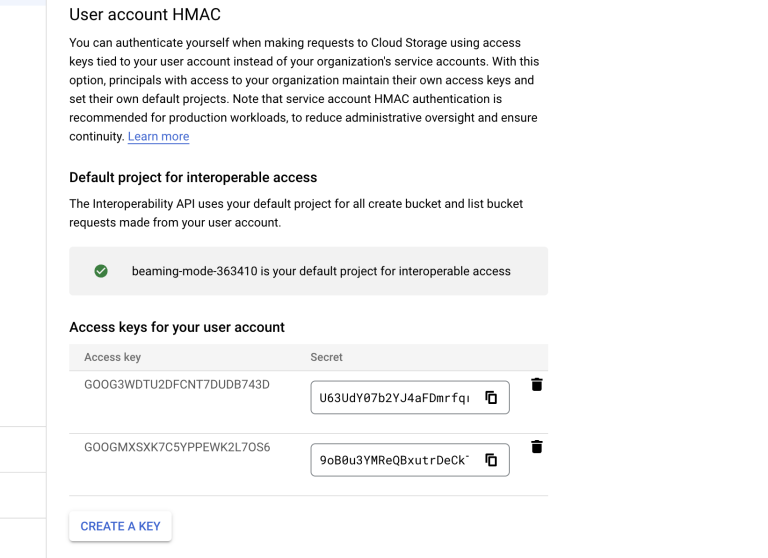
Create an access key for the user account
-
Configure Ant Media Server
- Log in to your Ant Media Server panel at
http://your_ams_server:5080. - Navigate to Applications > live > Settings.
- Enable Record Live Streams as MP4 and Enable S3 Recording.
- Enter the following S3 credentials:
- Access Key:
your_access_key - Secret Key:
your_secret_key - Bucket Name:
your_space_name
- Access Key:
- Save the settings.
- Log in to your Ant Media Server panel at
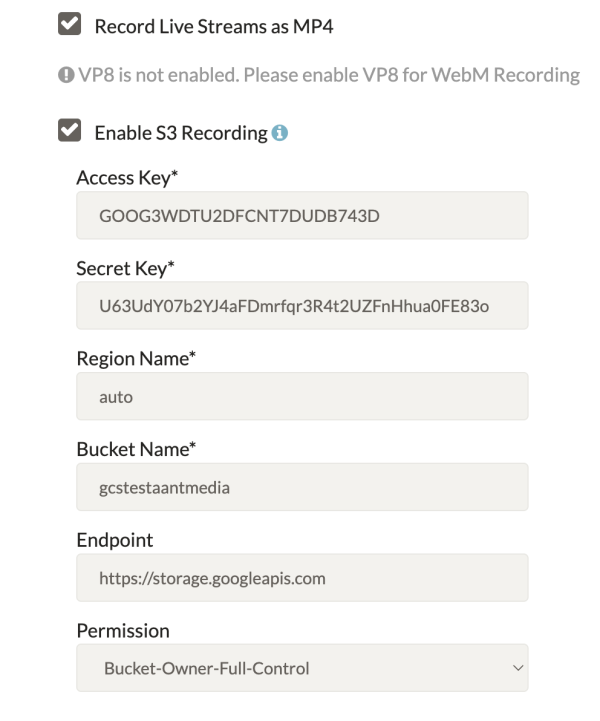
Congrats, your MP4 and preview files will be uploaded to your Google Cloud Storage Bucket automatically.
Enable HTTP Forwarding for Playback
After uploading to Google Cloud Storage, your files will no longer be available in the Ant Media Server local storage. If you try to access them using an AMS URL, you may encounter a 404 Not Found error.
To resolve this, enable HTTP Forwarding so Ant Media Server automatically redirects requests to your OVH Object Storage.
Steps to Enable HTTP Forwarding
-
Log in to the Ant Media Server Management Panel
-
Navigate to your application (e.g.,
live) and go to Application Settings → Advanced Settings. -
Set the following properties:
httpForwardingExtension: mp4,m3u8httpForwardingBaseURL: https://storage.googleapis.com/{bucket-name}Example:
httpForwardingExtension: mp4,m3u8httpForwardingBaseURL: https://storage.googleapis.com/mybucket -
Save your settings
Playback
Once forwarding is configured, your VOD files stored in Google Cloud Storage can be played directly using AMS URLs.
The media will be served from Google Cloud, while viewers continue to use your Ant Media Server domain.
Now, when you access:
https://your-domain:5443/live/streams/recording.mp4
Ant Media Server will forward the request to:
https://storage.googleapis.com/mybucket/streams/recording.mp4
Your Streams, Your Cloud! ☁️🚀
Congratulations! You've successfully configured Ant Media Server to record live streams directly to Google Cloud Storage. Your MP4 and preview files are now automatically uploaded and ready for on-demand playback.
Tada!! — your streams have officially taken rest in the cloud! 🎬✨