Create Android Project
This guide walks you through creating a new Android app project in Android Studio for integrating Ant Media Server's WebRTC SDK.
Step 1: Open Android Studio
-
Launch Android Studio.
-
Click “Create New Project”.
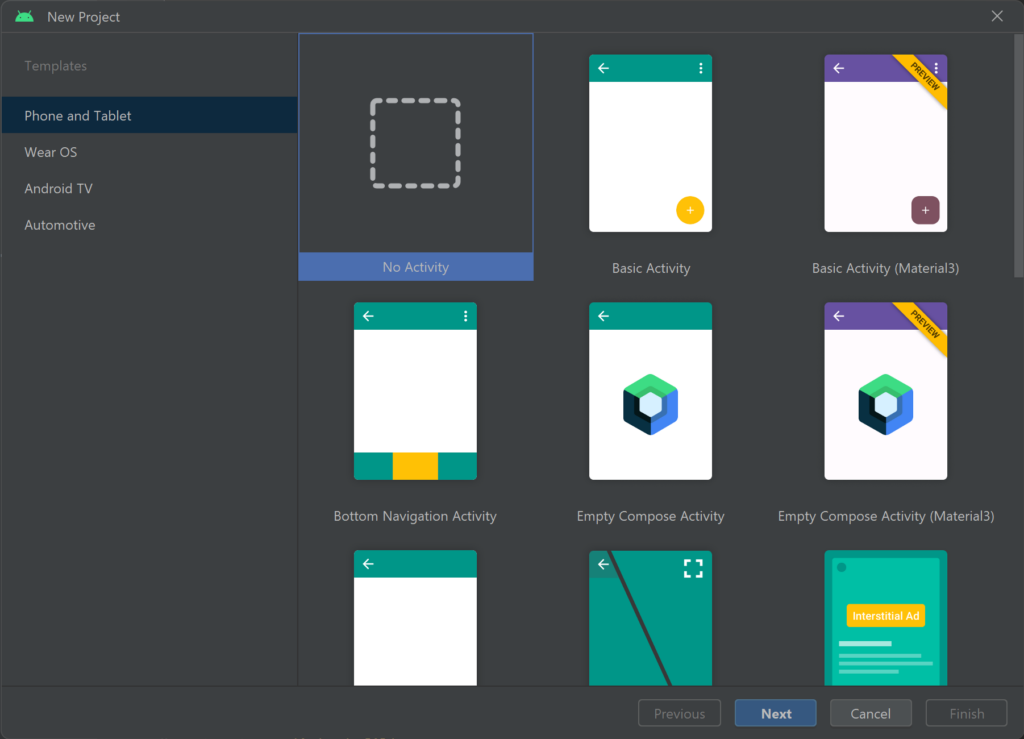
Step 2: Select Project Template
-
In the project template selection, choose “No Activity”.
-
Click Next.
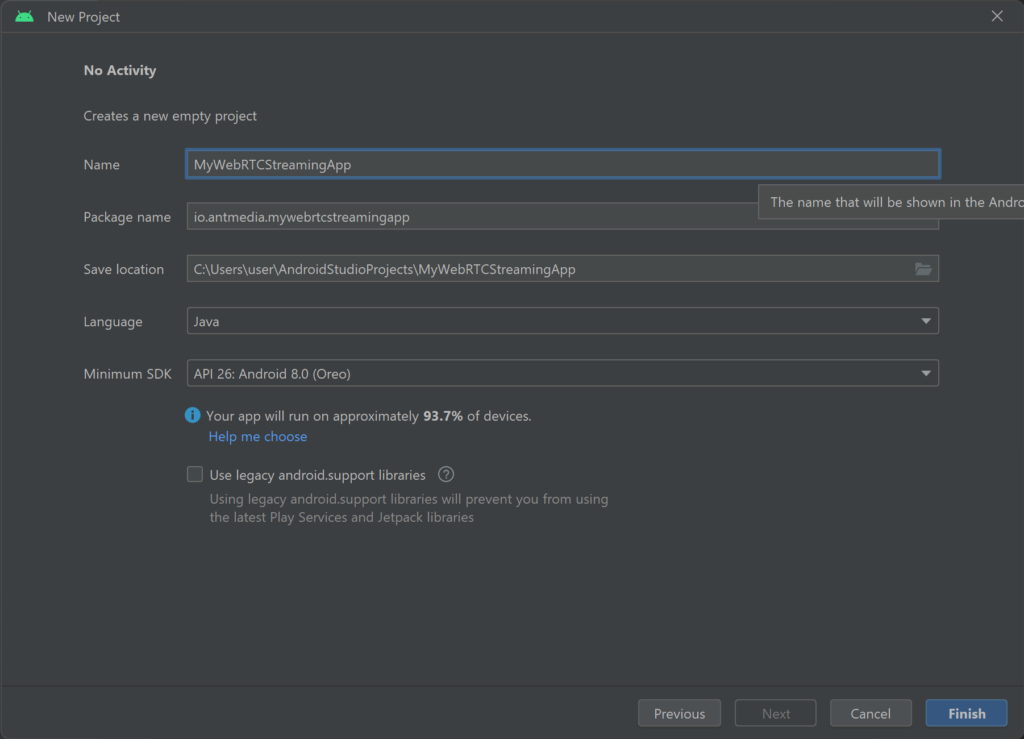
Step 3: Name Your Application
-
Enter a name for your application. For this guide, we will use:
MyWebRTCStreamingApp. -
Click Finish to create the project.
Congratulations!
You have successfully created your WebRTC Android SDK application project!
Next, you can integrate the Ant Media Server SDK, configure your app for streaming, and start building your live streaming Android application.
Your project is now ready for coding, adding dependencies, and implementing WebRTC features.