Updating AMS with CloudFormation
If you have installed Ant Media Server with Cloudformation and then want to update it, simply follow the steps below.
By following these instructions, you can upgrade your Ant Media Server AWS cluster and also retain all your existing settings without affecting the MongoDB configuration.
NOTE: Your old instances will be terminated when you perform this update. Be sure you have backups and understand the downtime.
1. Login to your AWS console and Navigate to EC2 > Launch Templates.
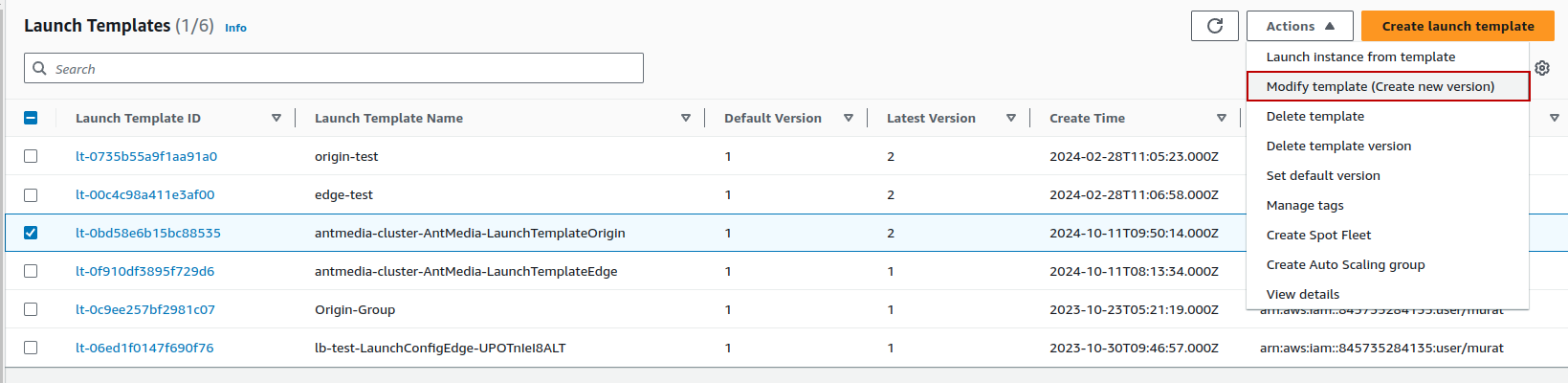
2. Select the Launch templates for your-stack-AntMedia-LaunchTemplateOrigin template and click on Actions > Modify template (Create a new version)
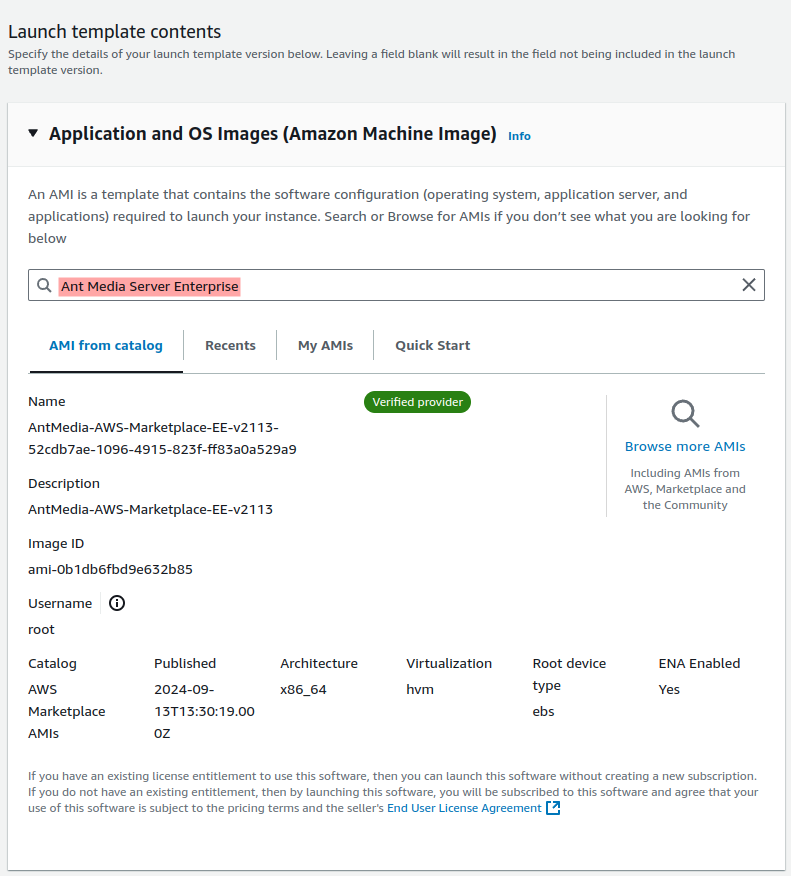
3. Go to Application and Operating System Images (Amazon Machine Image) and search for “Ant Media Server Enterprise” in the Search field.
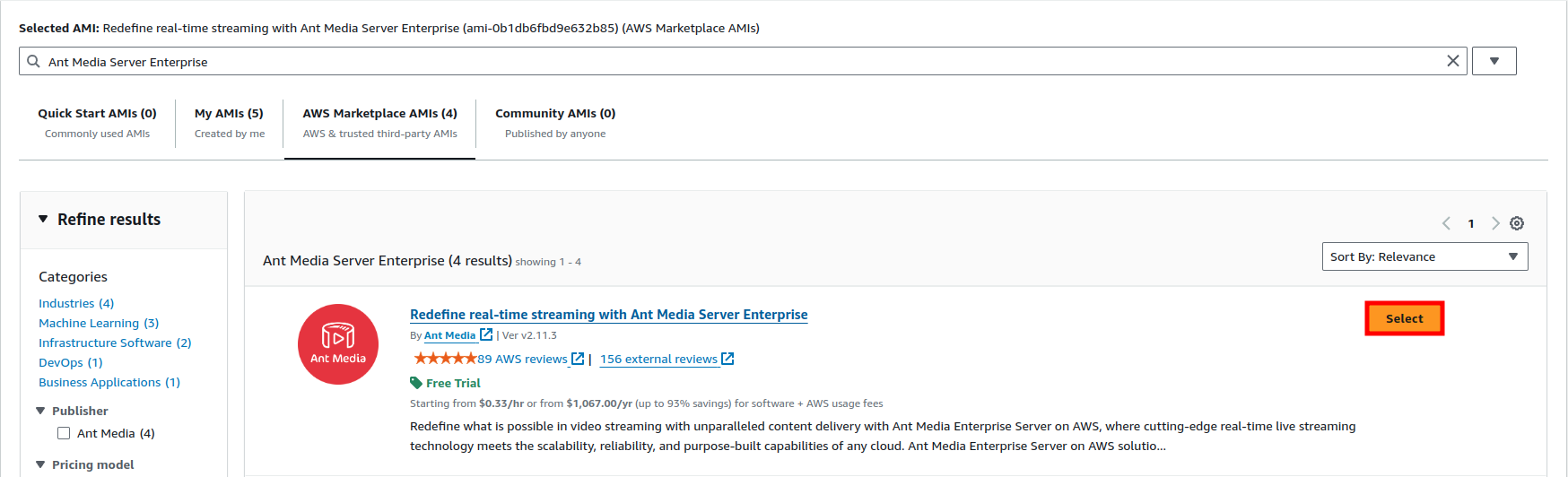
And Subscribe to Ant Media Server Enterprise from here.
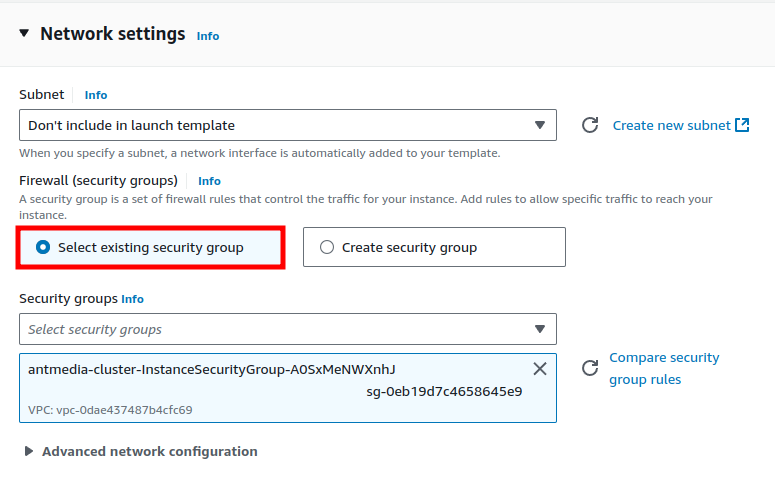
4. In the network settings section, select Select existing security group then Save it.
Make all these settings for the Edge template as well.
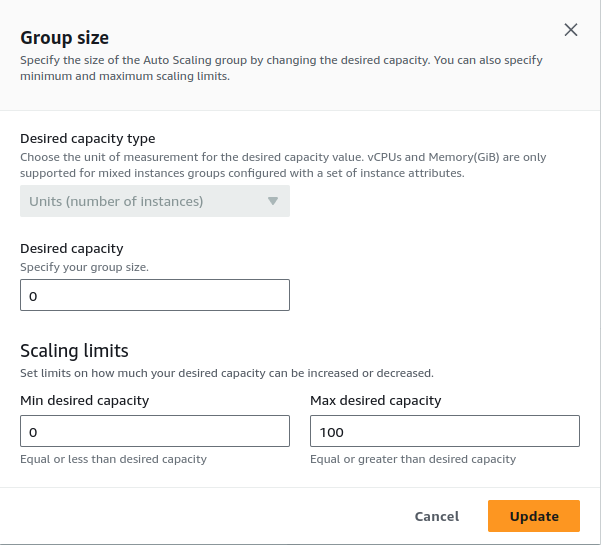
5. In EC2 > Auto Scaling groups and select OriginGroup. Set Desired and Minimum Capacity to 0 in Groups details.
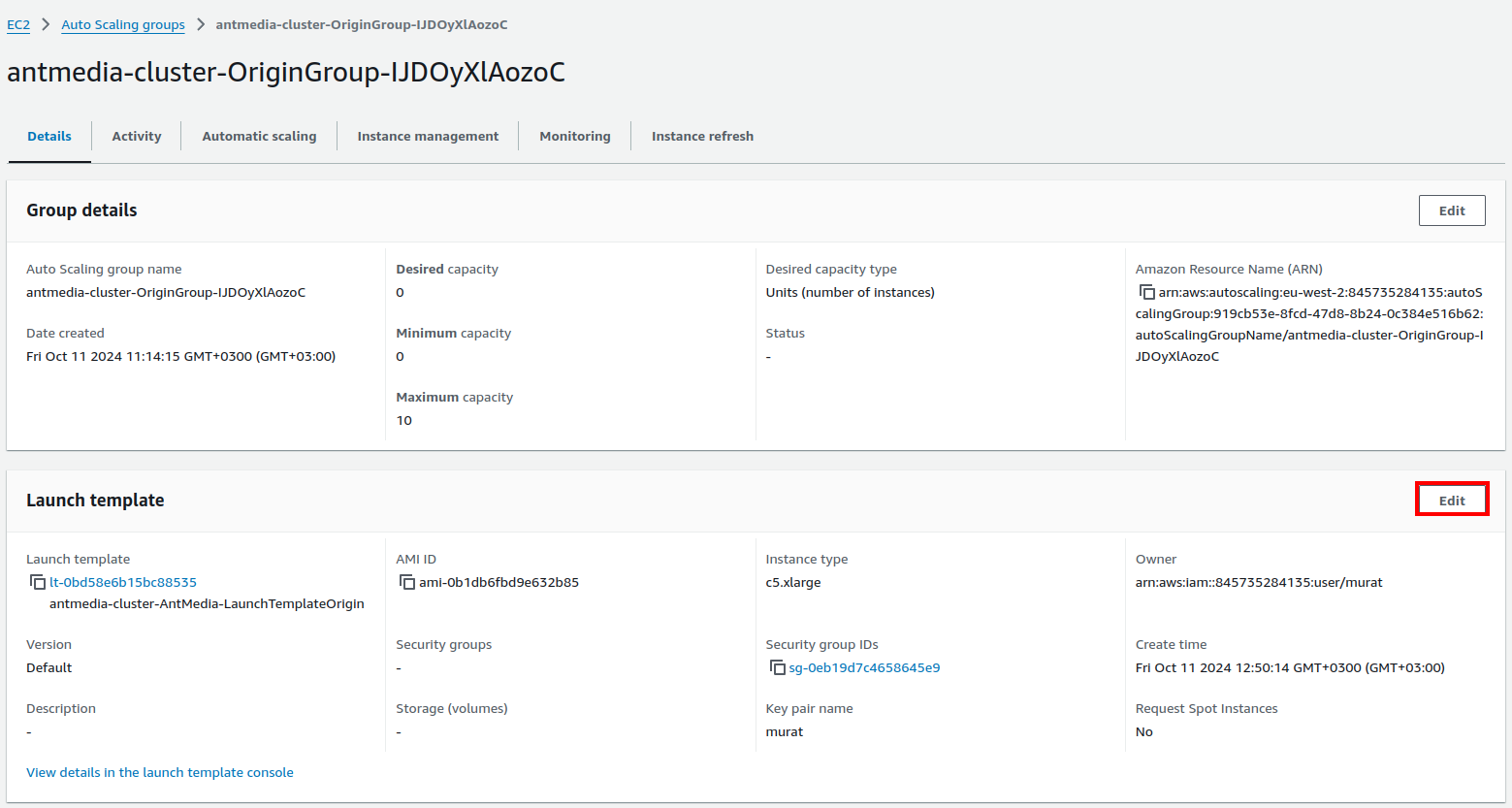
6. Then go to Launch template.
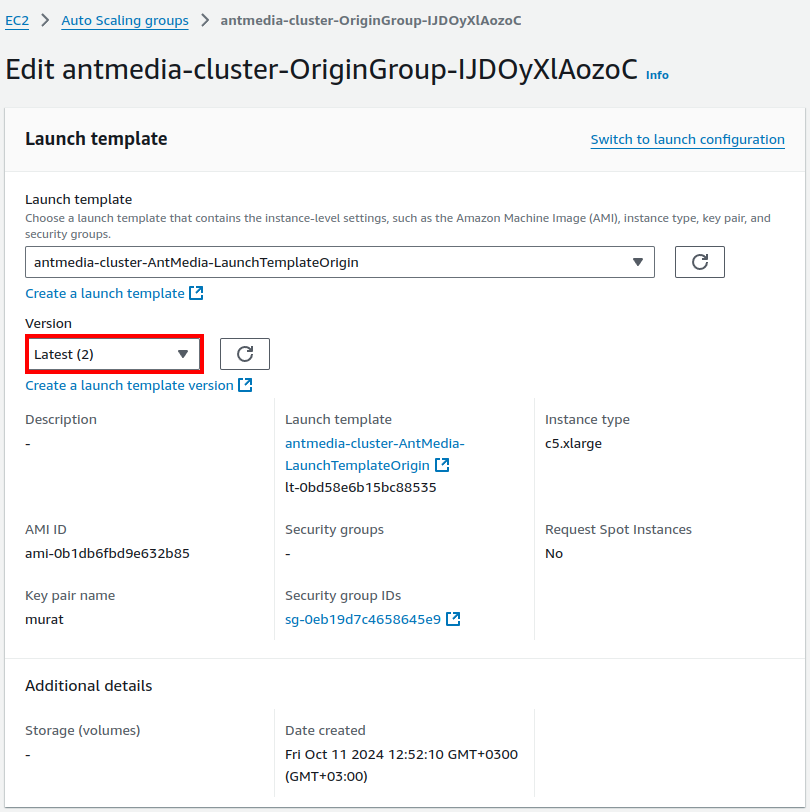
Here select Version Latest and Update.
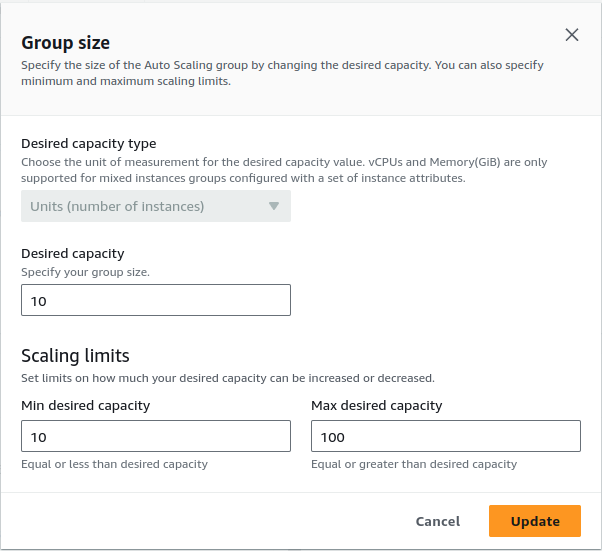
7. Go to Groups details and update the Desired and Minimum Capacity as in previous settings.
That's it. Your Instances will now run with the latest version of Ant Media Server.
NOTE: Please make all these settings for the Edge template as well.
If you have any questions, please just drop a line to [email protected].
🔄 CloudFormation — Even the Best Need an Upgrade!⚙️
You upgraded your CloudFormation stack: new launch templates, updated AMIs, then scaled groups back up — all while retaining your MongoDB data and settings. Old instances terminated, new ones online.
Your cluster is now running the latest version, with minimal fuss and maximum continuity! 🚀