Step 6: Configure Ant Media Server
To enable push notifications using Firebase Cloud Messaging (FCM), you need to connect your Firebase project with Ant Media Server.
Obtain the FCM Private Key JSON
- Go to the Firebase Console: Visit Firebase Console and log in with your Google account.
- Create or Select a Project: Choose your existing project or create a new one for your app.
- Navigate to Project Settings: In the project dashboard, click on the gear icon next to “Project Overview” and select “Project settings.”
- Generate a Private Key:
- Under the “Service accounts” tab, select “Generate new private key.”
- Confirm the creation and a JSON file containing your private key will be downloaded to your device.
Upload the JSON to Ant Media Server
- Open the Management Panel: Log in to the Ant Media Server management console.
- Select an Application: Choose the application where you want to enable push notifications.
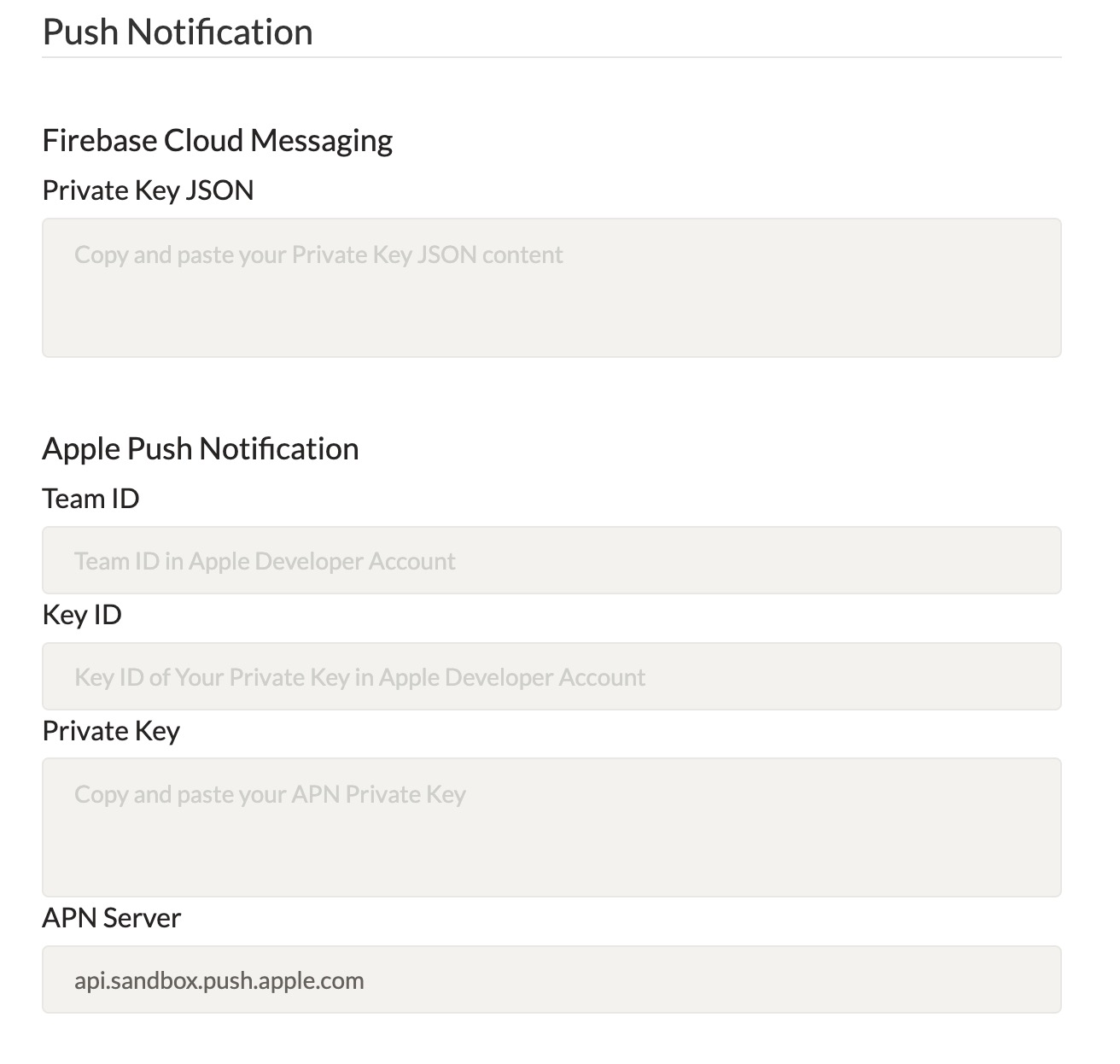
- Access Application-Level Settings: Go to the “Push Notification” section under application settings.
- Upload the JSON: Upload the JSON private key file in this section to enable push notifications via FCM.
To protect the send push notification WebSocket message, you need to generate two subscriber authentication tokens with the sender’s Subscriber ID and the receiver’s Subscriber ID. You can call the getSubscriberAuthenticationToken Rest API endpoint.
curl -X 'GET' 'https://your-antmedia-server-address:5443/WebRTCAppEE/rest/v2/push-notification/subscriber-auth-token?subscriberId=<your-subscriber-id>'
We will call the sender’s token as authToken in the rest of the documentation. We will call the sender’s Subscriber ID as subscriberId and we will call the receiver’s Subscriber ID as sendNotificationToSubscriber.
Congratulations!
Your Ant Media Server is now configured with Firebase Cloud Messaging for push notifications. By securing notifications with subscriber authentication tokens, you’ve set up a reliable and secure notification system. From here, your application is ready to deliver real-time call alerts and interactive notifications directly to your Android users.